Botanical Buddies
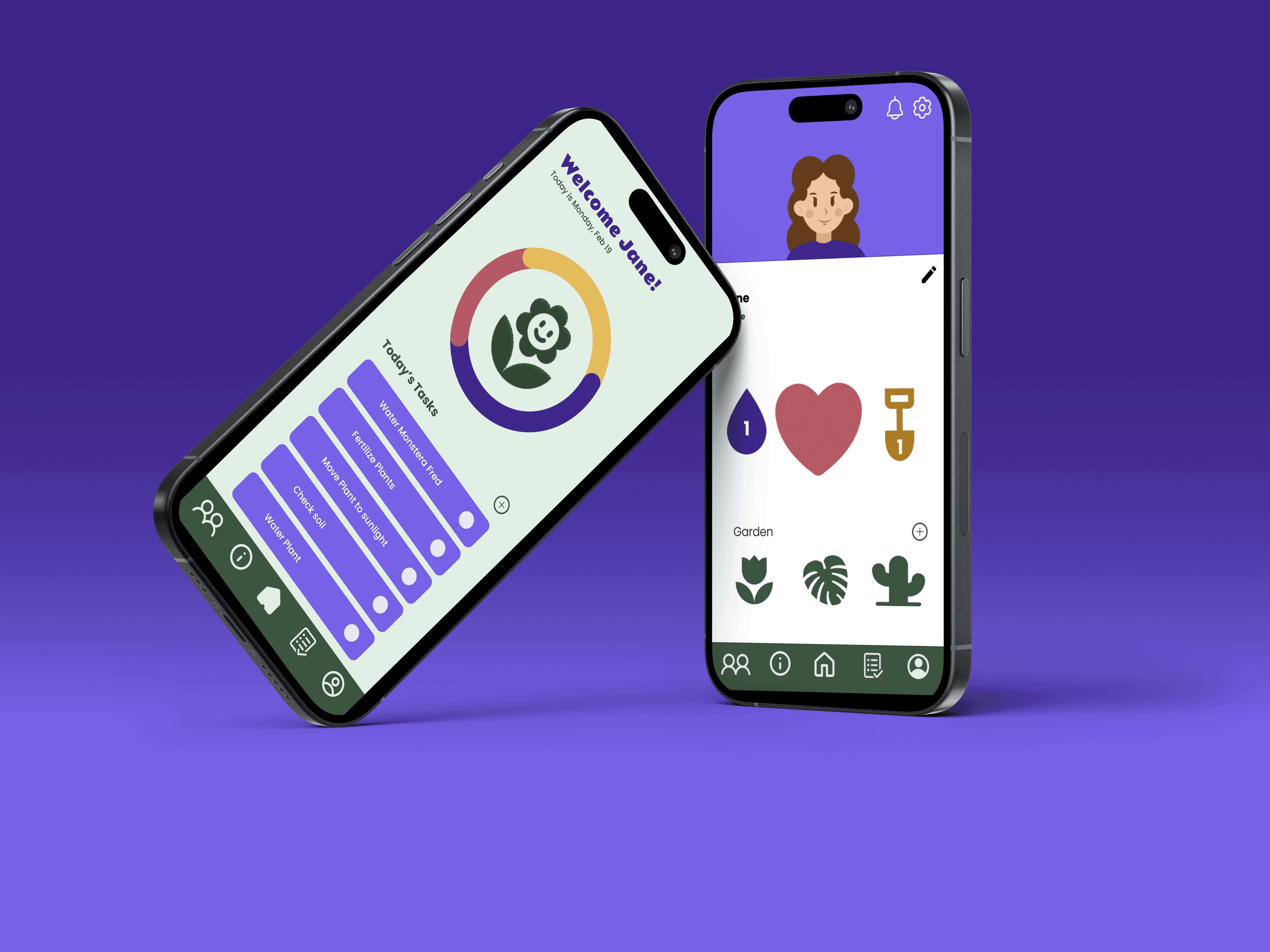
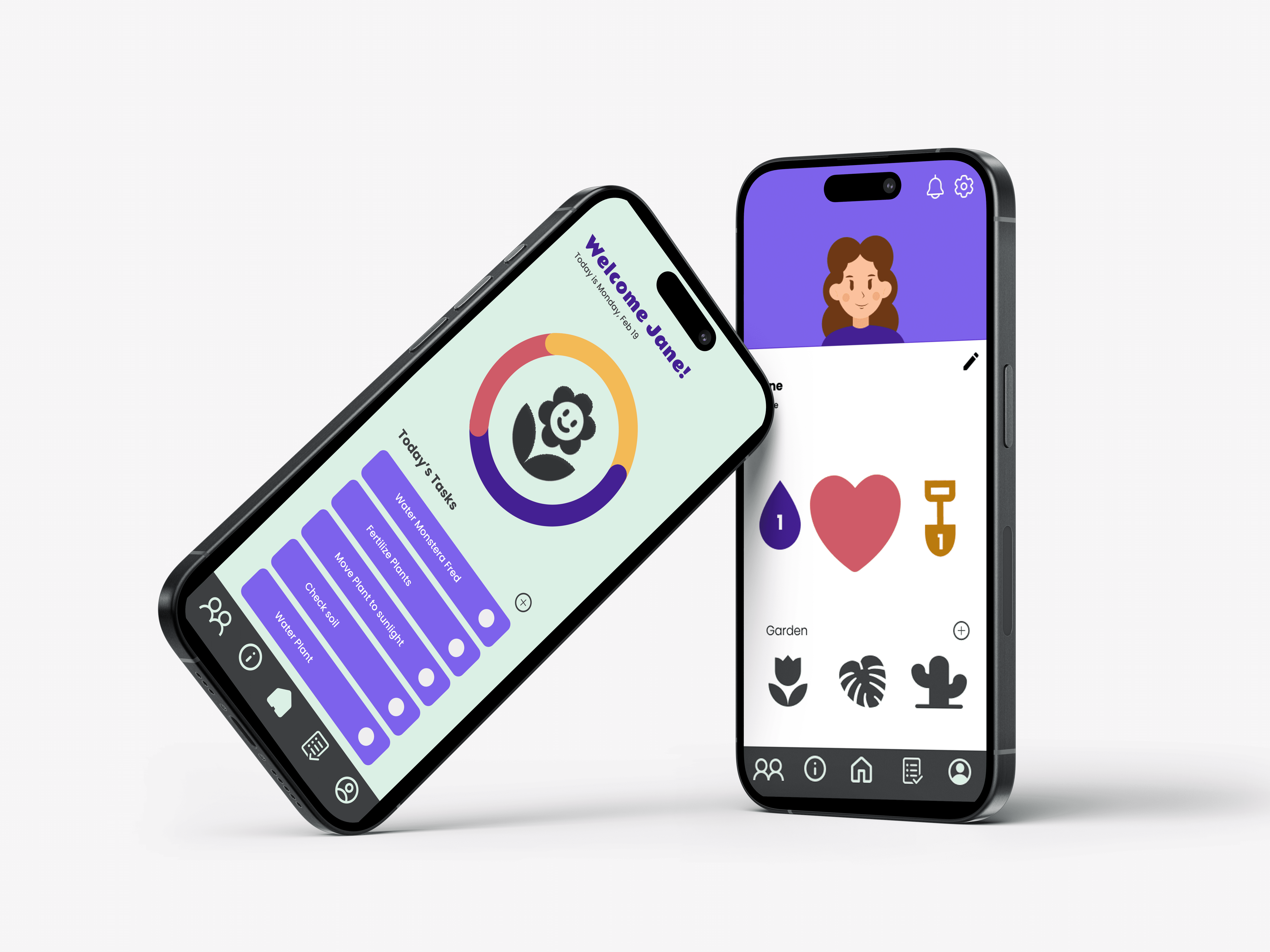
Botanical Buddies is a plant care app concept, created with a team to provide real-time insights and notifications, simplifying plant care through smart technology.
2024
2024
UX + Graphic Designer
UX + Graphic Designer
Figma + Adobe Creative Cloud
Figma + Adobe Creative Cloud
Botanical Buddies
Botanical Buddies is a plant care app concept, created with a team to provide real-time insights and notifications, simplifying plant care through smart technology.
2024
UX + Graphic Designer
Figma + Adobe
The Challenge
Creating a Fun, Task-Driven Plant Care App
Creating a Fun, Task-Driven Plant Care App
Background
Plants have delicate and specific needs—factors like soil moisture, sunlight exposure, and temperature are essential for optimal health. Existing plant care apps often offer basic information but lack real-time data tailored to individual plants. Our team developed Botanical Buddies to address this gap, aiming to simplify plant care with a smart planter concept that combines app design with a sensor-equipped plant stake.
The Problem
Effective plant care requires precision that many apps on the market fail to provide. While users can track general plant information, they lack actionable insights on their plants’ changing needs.
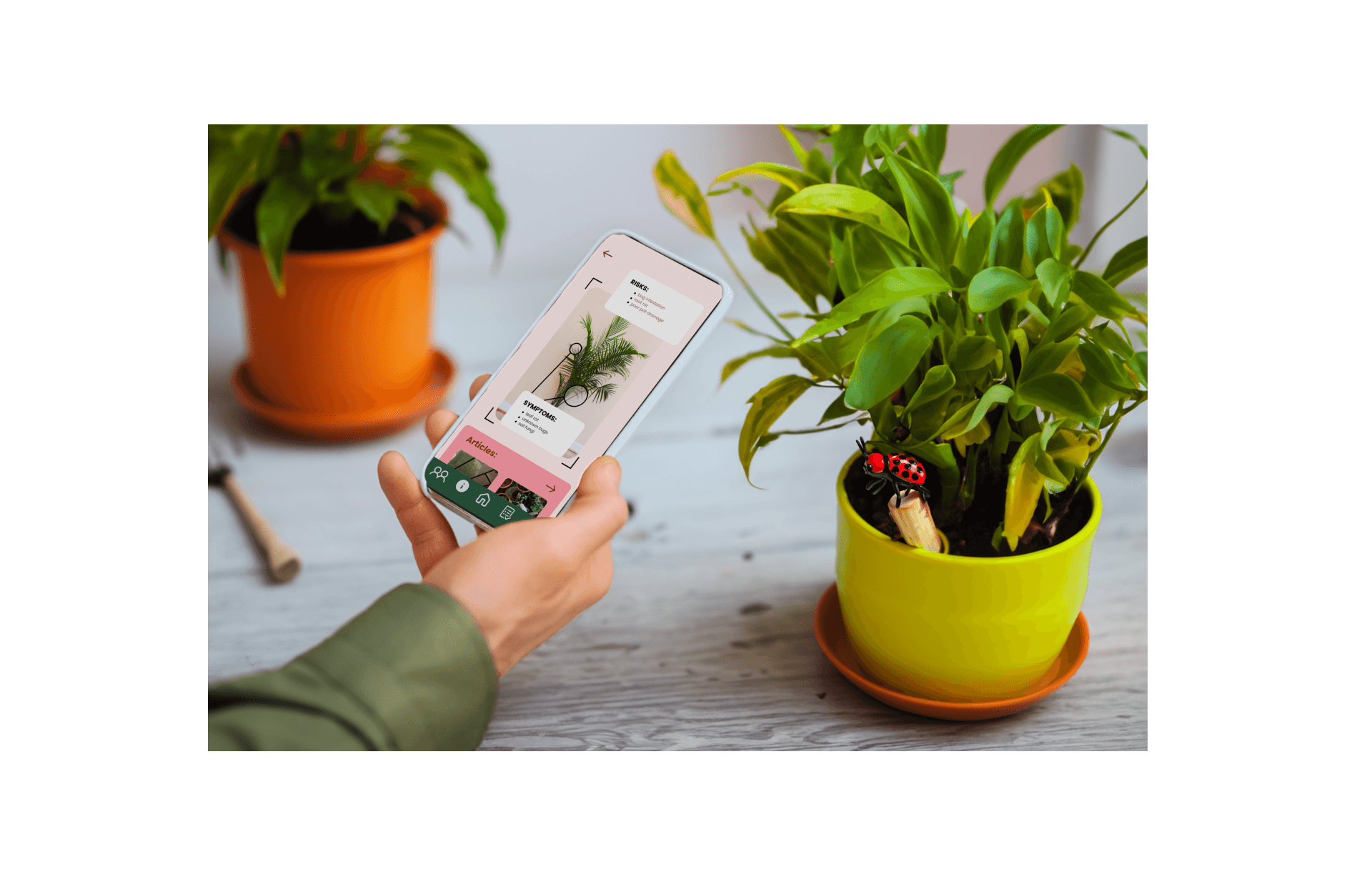
Our app concept integrates with a hypothetical plant stake equipped with sensors, which capture real-time data about each plant’s conditions. With these insights, users receive precise, task-driven guidance directly through the app, making plant care easy and accurate.
Project Goals
Identify user needs related to plant care and common obstacles in meeting them.
Develop a user-friendly UI that provides clear, actionable care instructions based on real-time data.
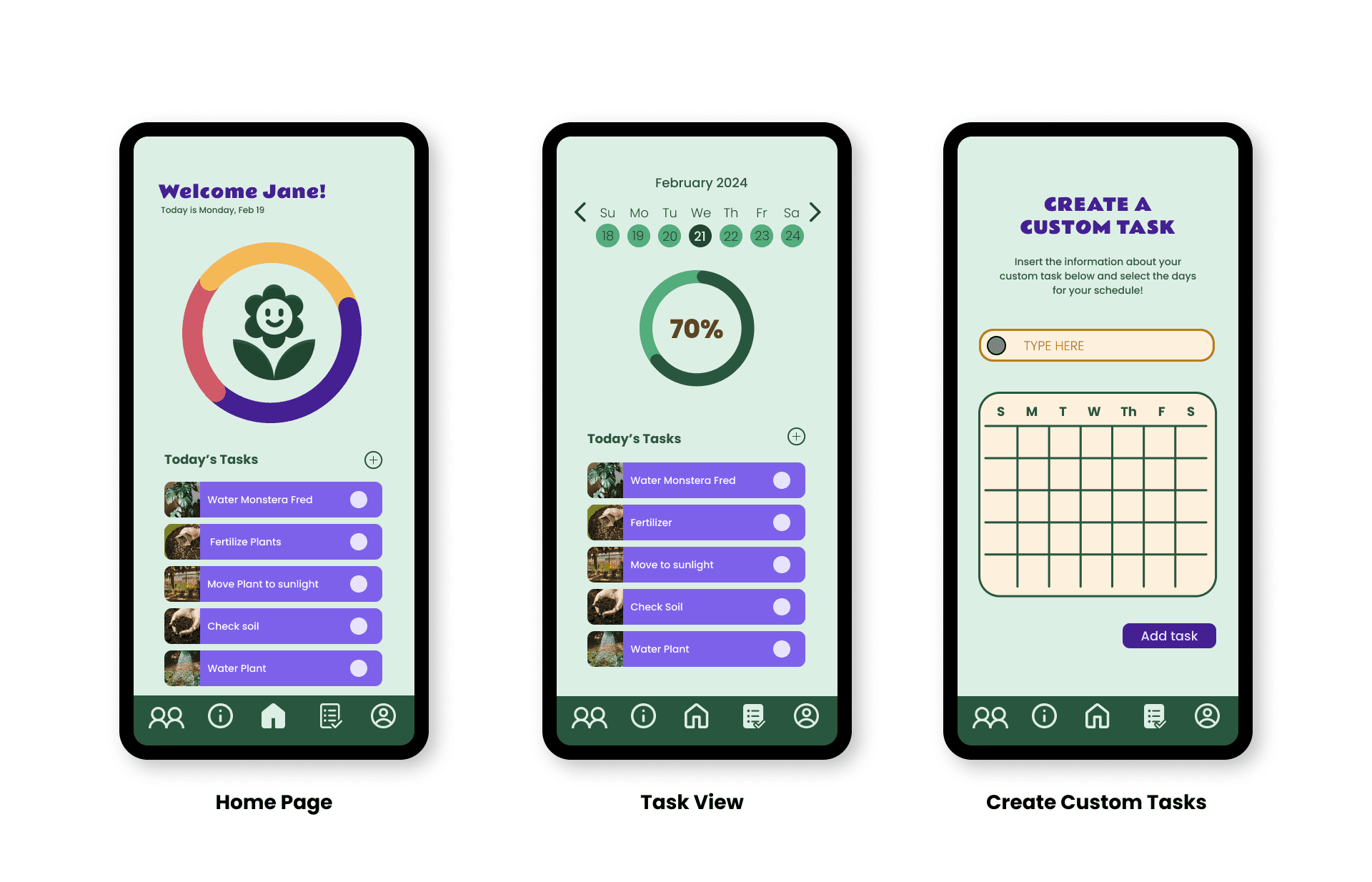
Create high-fidelity mockups showcasing typical user flows, illustrating how our concept improves the plant care experience.
Botanical Buddies aims to make plant care more accessible, fostering healthier, happier plants for users at all skill levels.
Background
Plants have delicate and specific needs—factors like soil moisture, sunlight exposure, and temperature are essential for optimal health. Existing plant care apps often offer basic information but lack real-time data tailored to individual plants. Our team developed Botanical Buddies to address this gap, aiming to simplify plant care with a smart planter concept that combines app design with a sensor-equipped plant stake.
The Problem
Effective plant care requires precision that many apps on the market fail to provide. While users can track general plant information, they lack actionable insights on their plants’ changing needs.
Our app concept integrates with a hypothetical plant stake equipped with sensors, which capture real-time data about each plant’s conditions. With these insights, users receive precise, task-driven guidance directly through the app, making plant care easy and accurate.
Project Goals
Identify user needs related to plant care and common obstacles in meeting them.
Develop a user-friendly UI that provides clear, actionable care instructions based on real-time data.
Create high-fidelity mockups showcasing typical user flows, illustrating how our concept improves the plant care experience.
Botanical Buddies aims to make plant care more accessible, fostering healthier, happier plants for users at all skill levels.
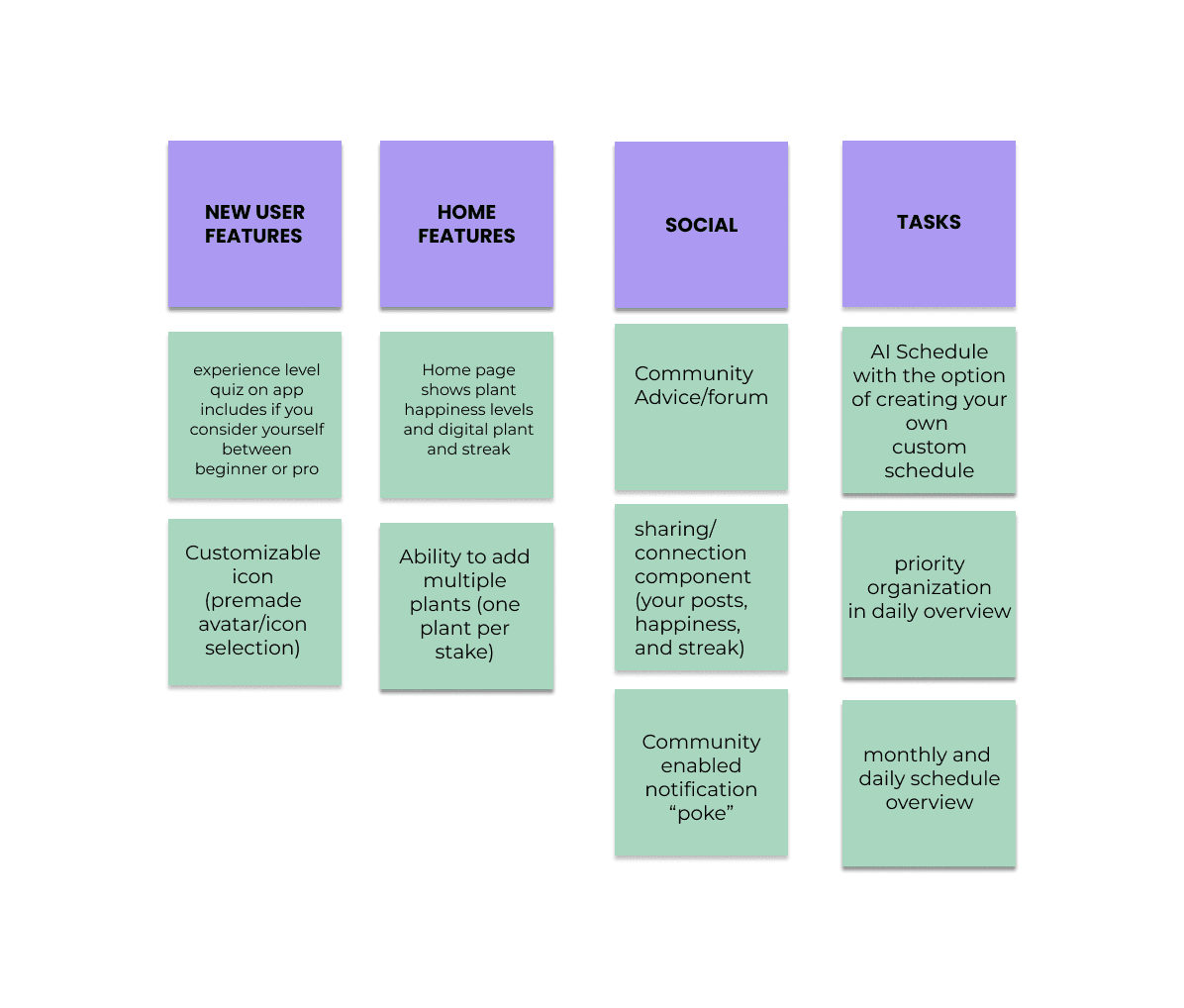
User Interview Results
User Interview Results
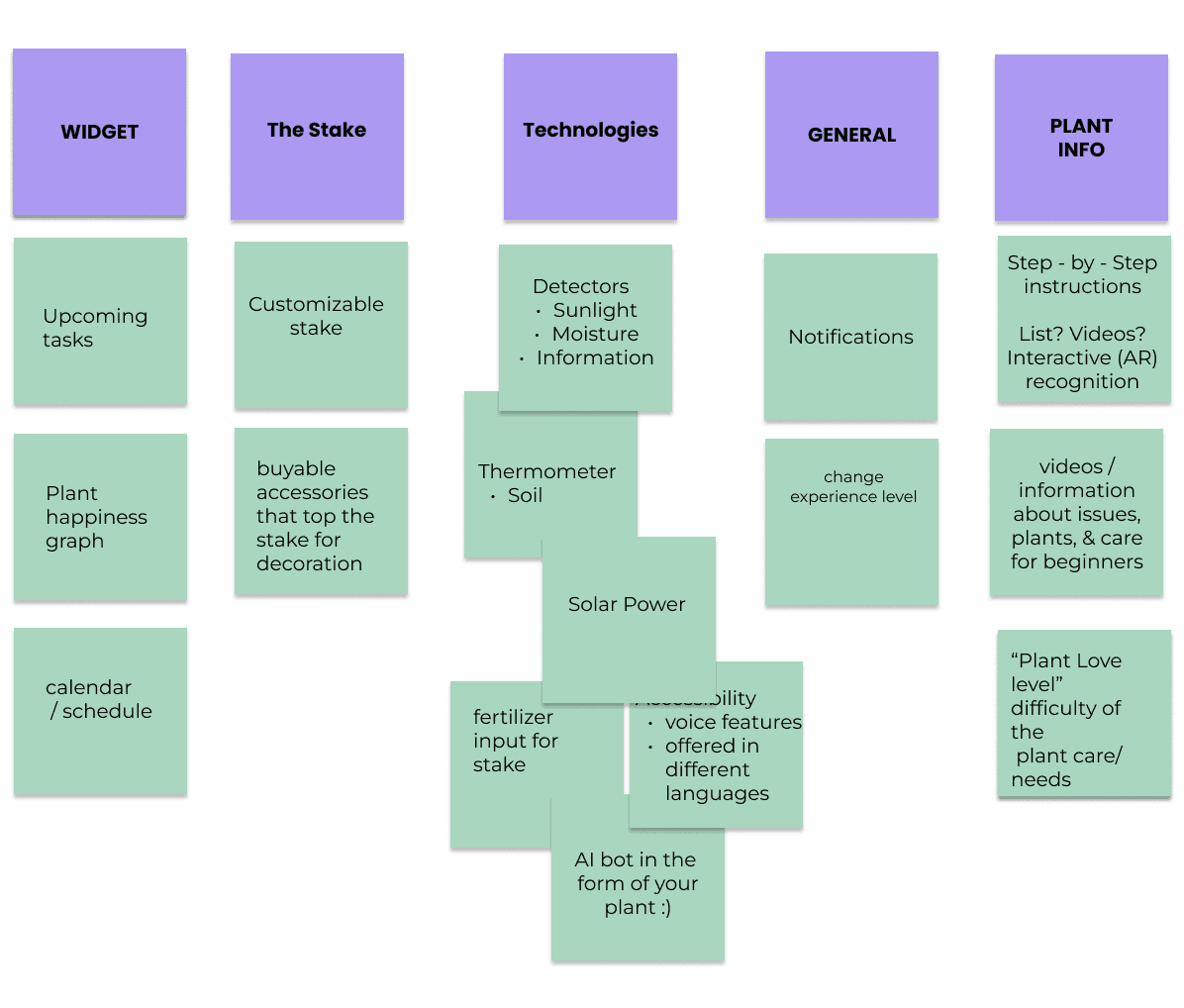
Based on the results from our user interview process, the following value proposition was created to decide the most important features for our interface.
Based on the results from our user interview process, the following value proposition was created to decide the most important features for our interface.
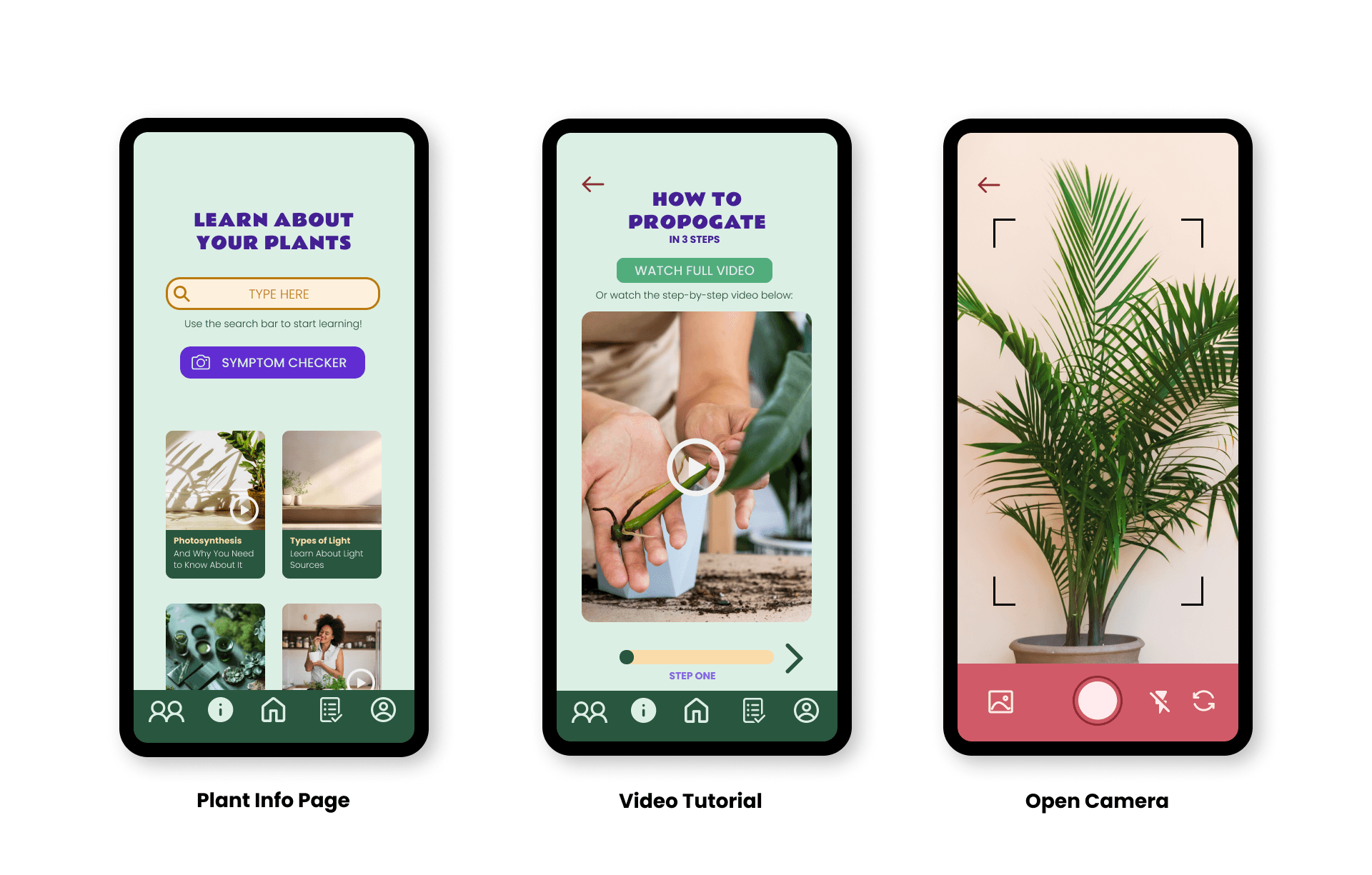
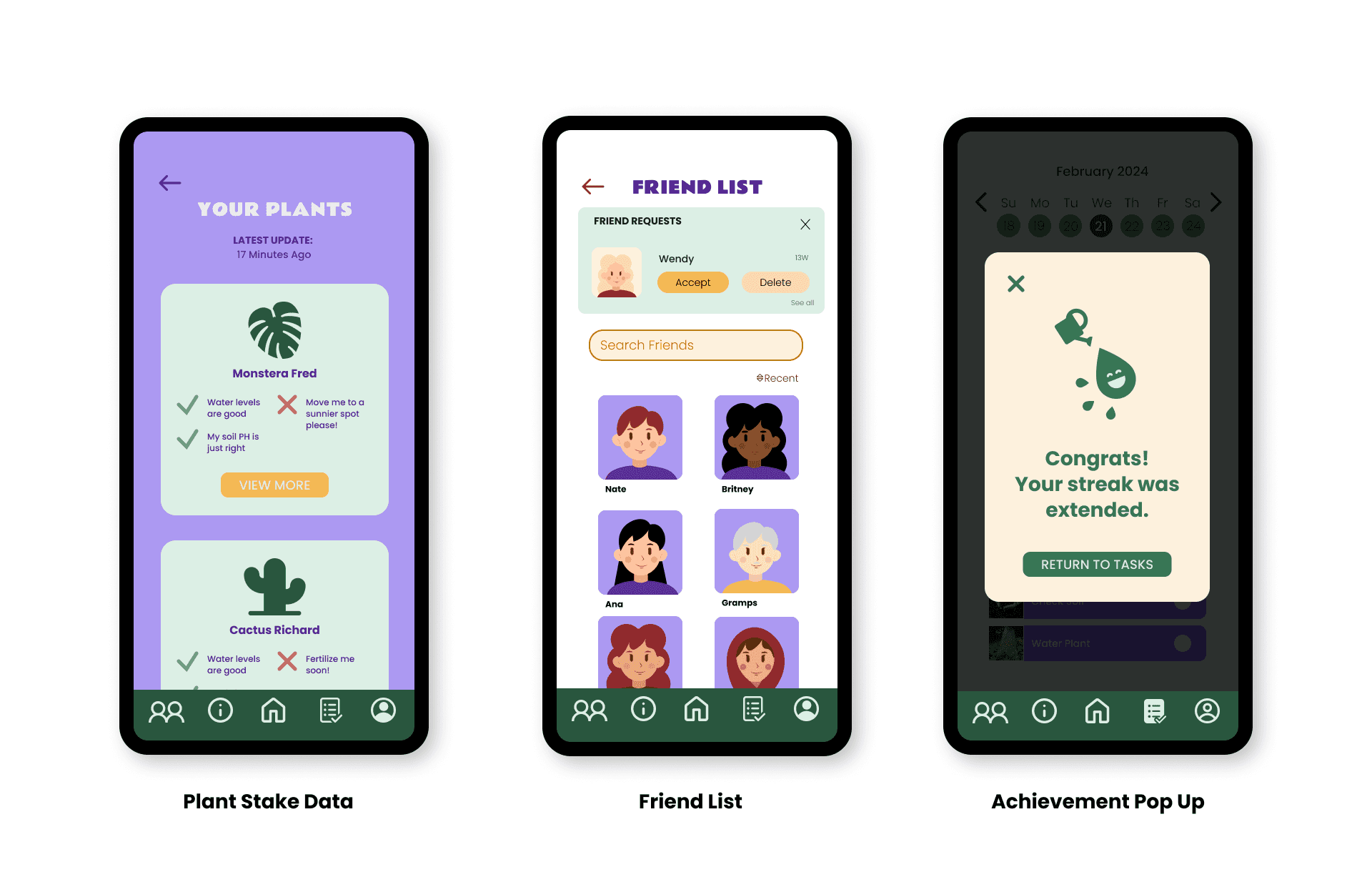
View plant happiness levels and plant data
View your daily tasks
View your calendar and create a custom schedule
Search for videos and information on plants
Follow Step-by-Step Video instructions
Receive friend notifications
View a friend and discover feed
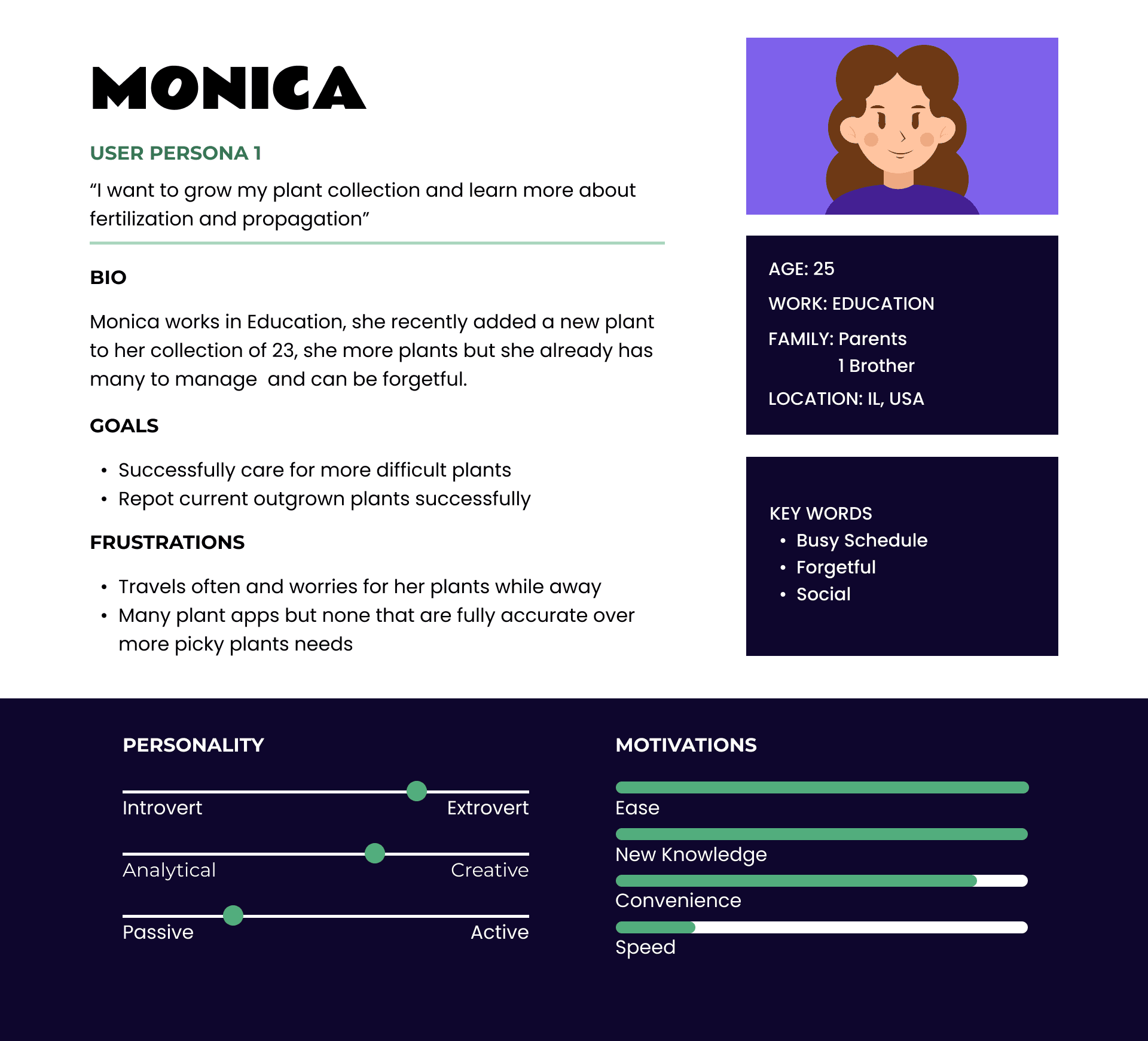
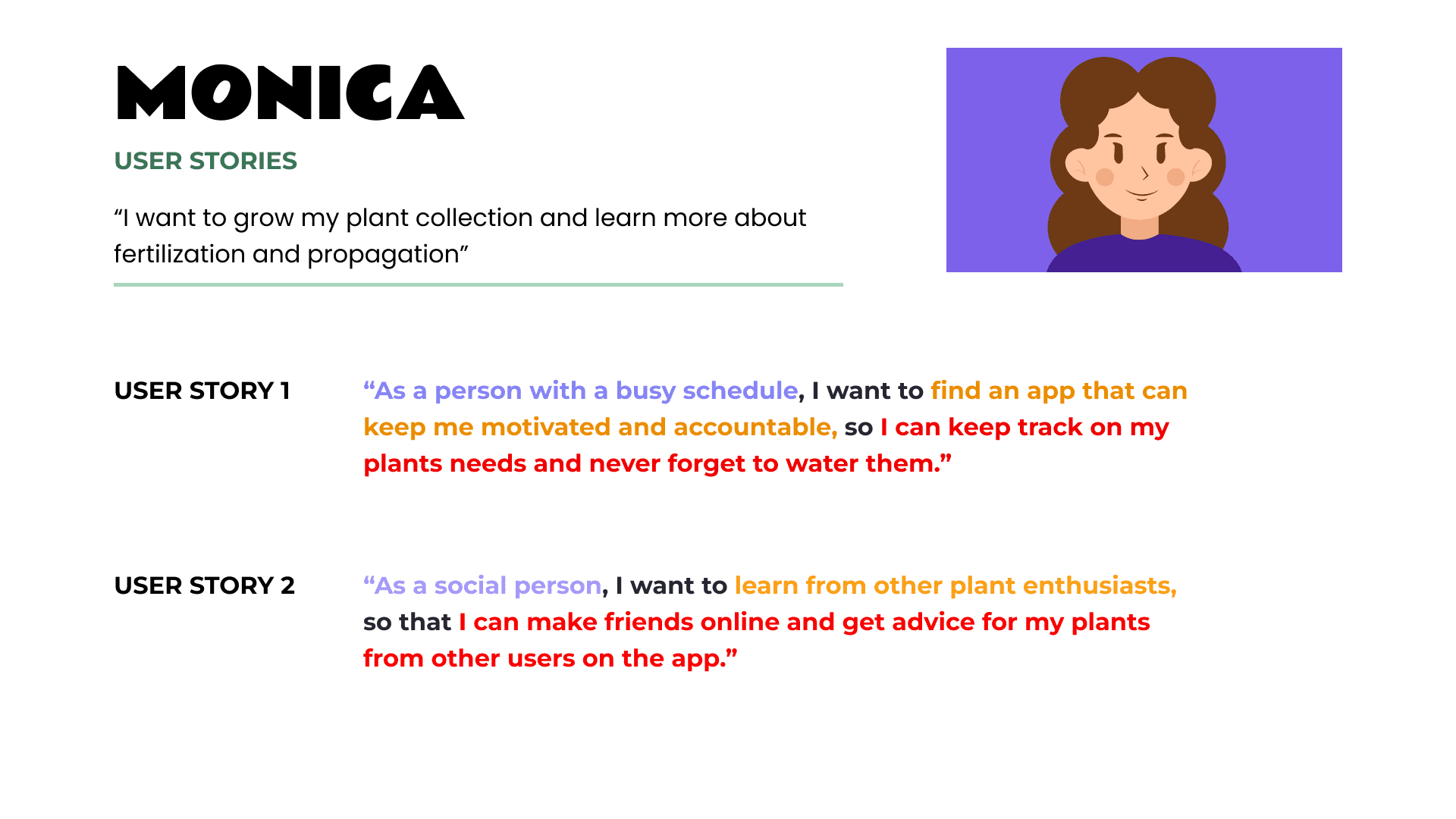
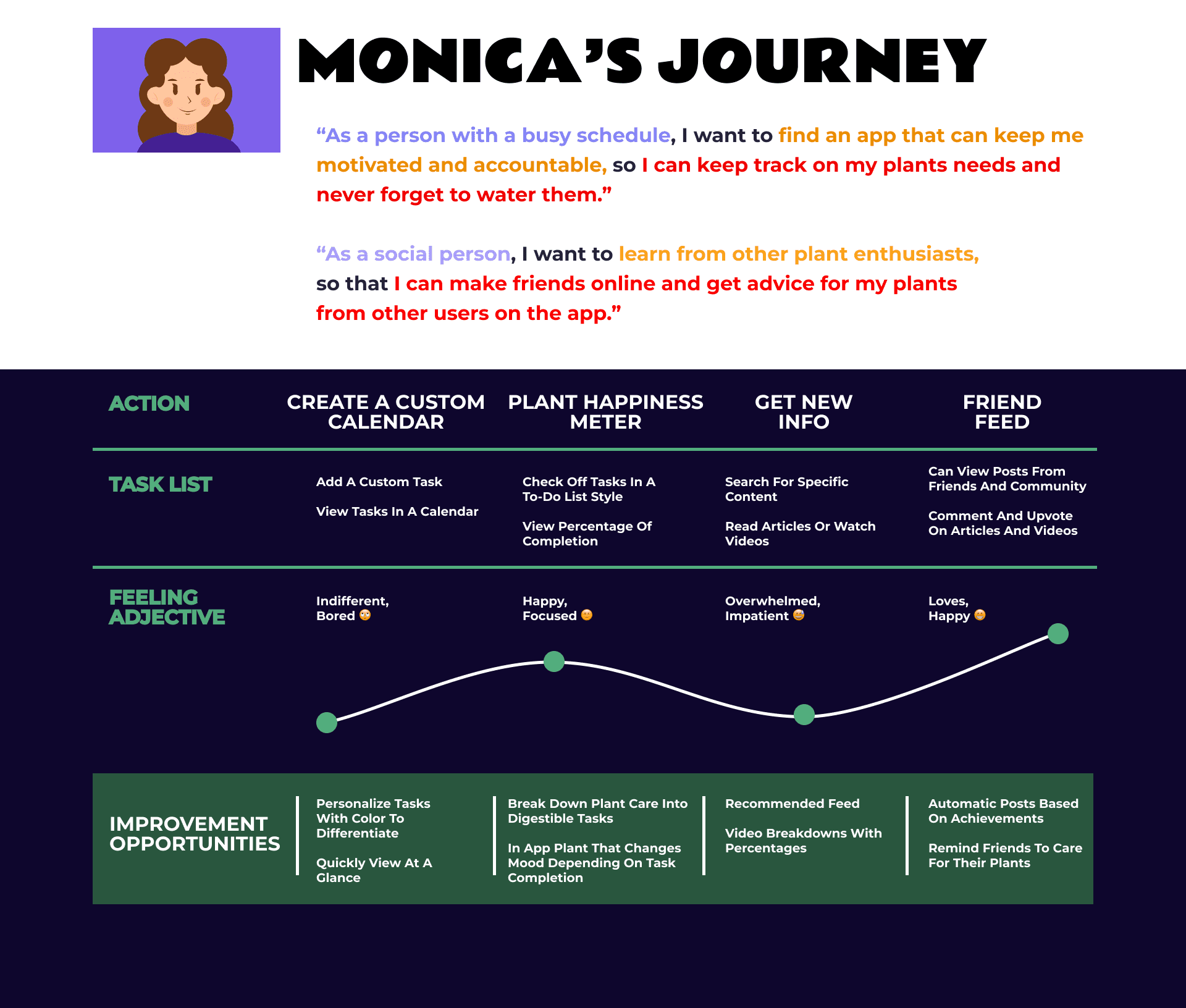
User Flows
User Flows
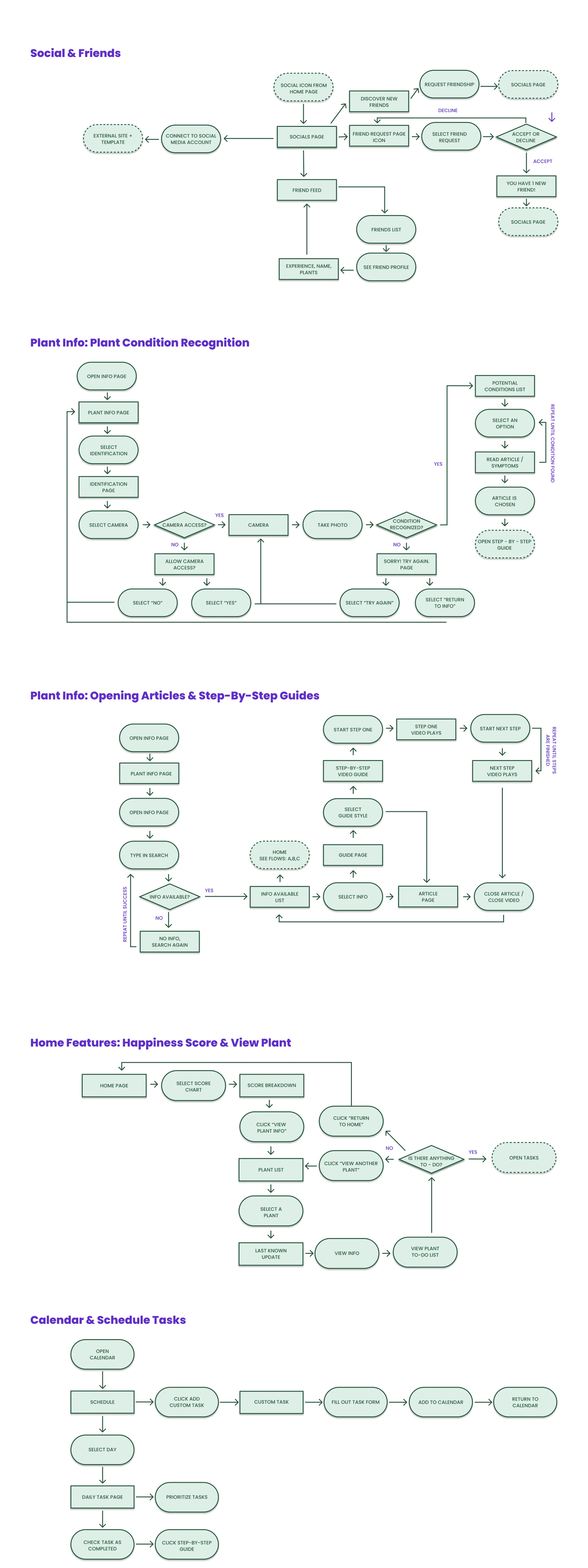
We created a series of user flow charts to help us research and understand how users would be interacting with the app design and what to map out their action steps.
We created a series of user flow charts to help us research and understand how users would be interacting with the app design and what to map out their action steps.
Sketches
Sketches
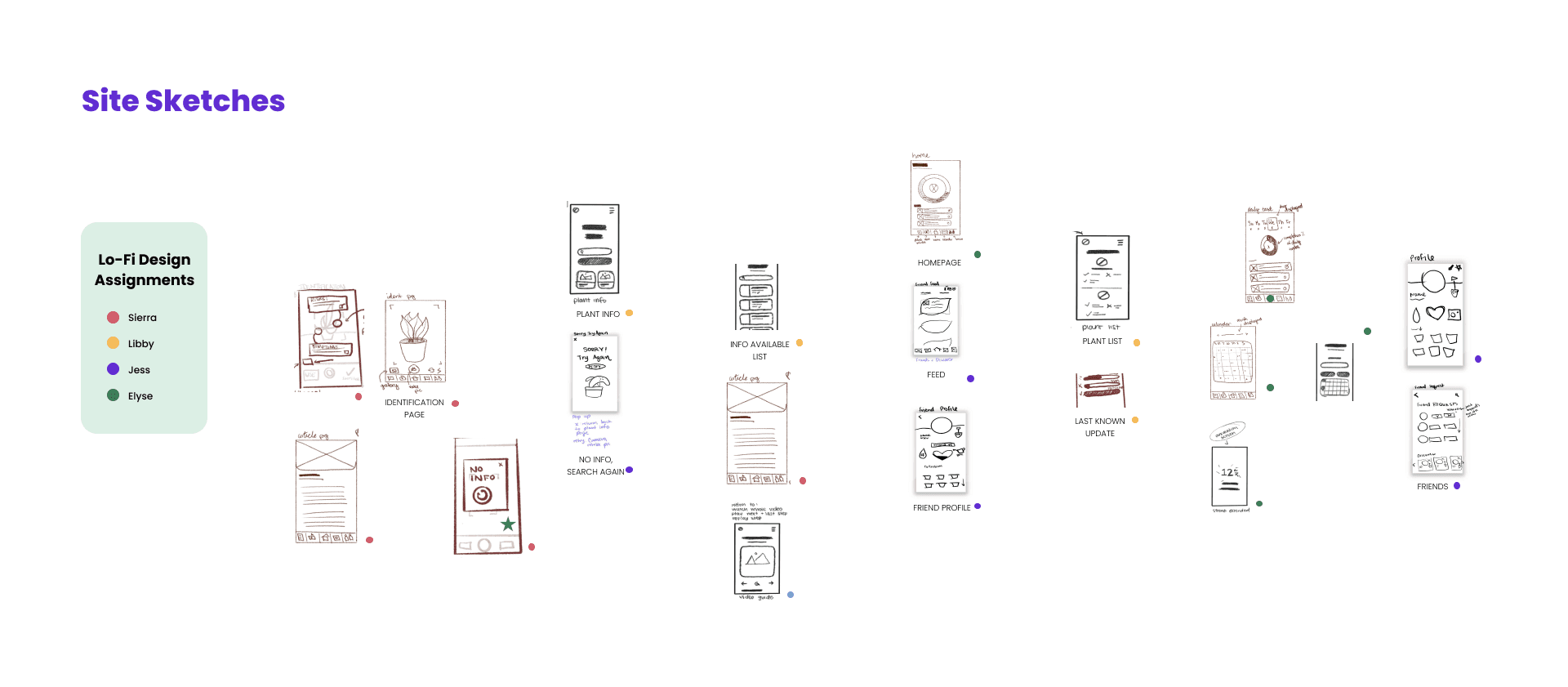
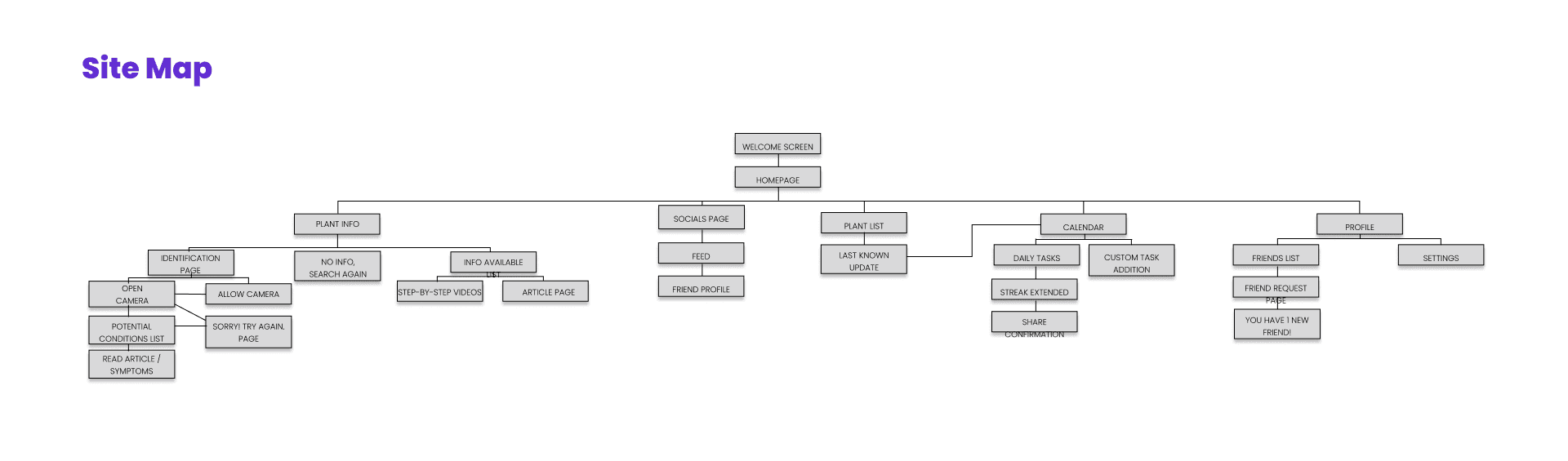
After each creating sketches of what we envisioned the site map to look like, we all voted on which sketches we liked best and then split up the pages we would be designing for the site map. We created a wire frame to help guide us where these sketches would go for our lo-fi.
After each creating sketches of what we envisioned the site map to look like, we all voted on which sketches we liked best and then split up the pages we would be designing for the site map. We created a wire frame to help guide us where these sketches would go for our lo-fi.

Final Learnings
Through this project, I gained four key insights: Figma is not just for prototyping—it’s a powerful tool for organizing and managing projects. I learned the value of effective collaboration and task delegation, deepened my understanding of user pain points to simplify complex processes, and developed a strong interest in promoting accessibility by focusing on readability and contrast.
(Awards issued by course instructor Aaron Yang)
Through this project, I gained four key insights: Figma is not just for prototyping—it’s a powerful tool for organizing and managing projects. I learned the value of effective collaboration and task delegation, deepened my understanding of user pain points to simplify complex processes, and developed a strong interest in promoting accessibility by focusing on readability and contrast.
(Awards issued by course instructor Aaron Yang)
Through this project, I gained four key insights: Figma is not just for prototyping—it’s a powerful tool for organizing and managing projects. I learned the value of effective collaboration and task delegation, deepened my understanding of user pain points to simplify complex processes, and developed a strong interest in promoting accessibility by focusing on readability and contrast.
(Awards issued by course instructor Aaron Yang)