Challenge
How can we design accessible interfaces to offer travelers a secure and convenient storage solution, enhancing city appeal and improving urban traffic flow?
My solution Lock it Up! is designed with travelers in mind who are seeking security, convenience, and reliability to help book or unlock locker storage at a public sponsoring location.
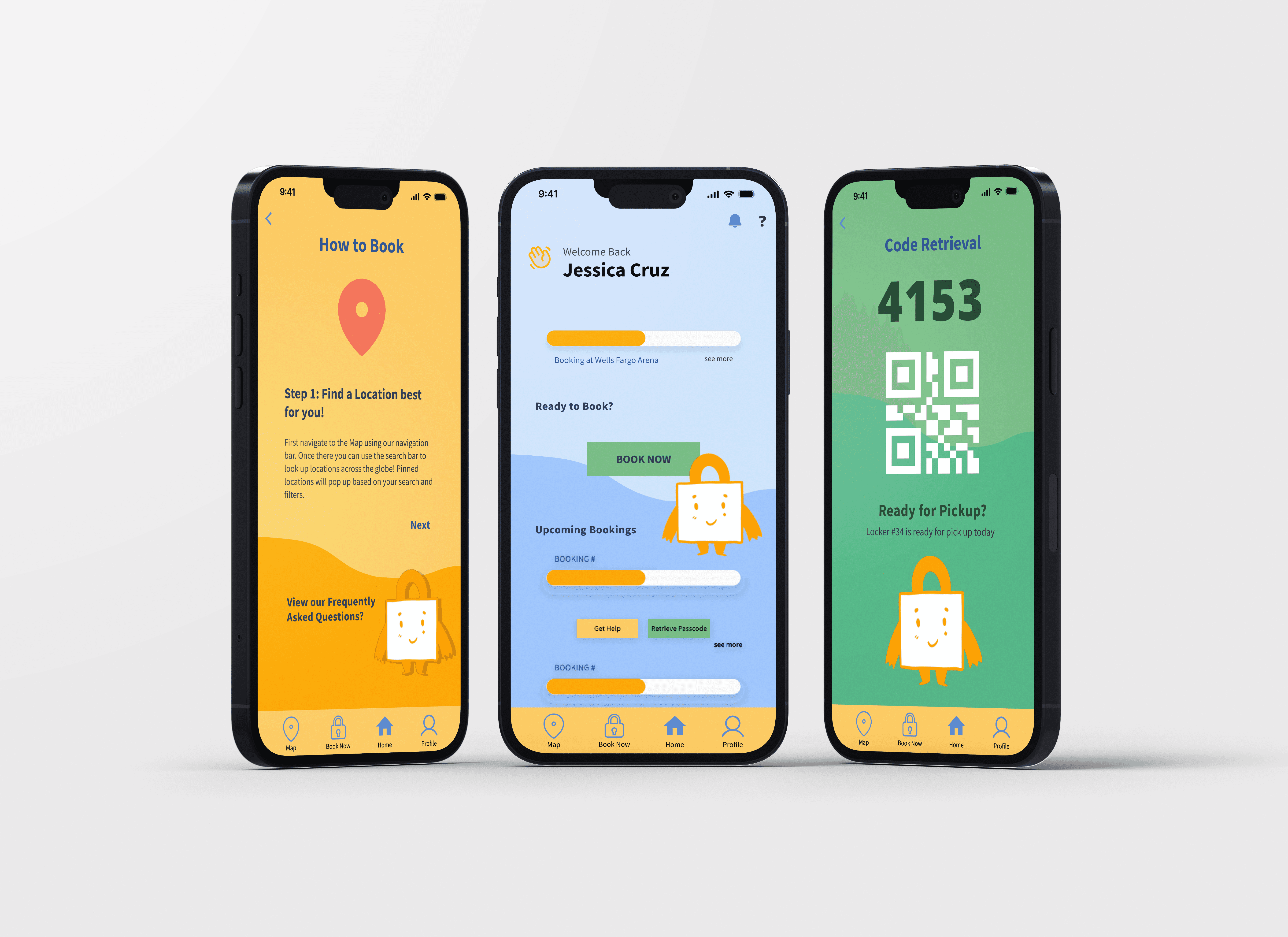
Why City Lockers?
During my study abroad in Rome, Italy, I experienced the convenience of locker services in major cities, which greatly eased my day travels.
My past experience with city lockers inspired me to develop a project that incorporates both a mobile and a kiosk interfaces to create a better solution. I chose this project because it aligns with my passion for enhancing communal experiences and my passion for traveling.
Research: Interviews
Core Questions
How often do you travel per year?
How much do you carry on you when traveling? (examples: backpack, purse, small suitcase, duffel etc.)
Have you heard of city lockers and if so explain your previous experience?
If you have used public lockers in the past would you tell me about your experience using public lockers?
How secure do you feel with your luggage while traveling
What would you need in order to feel safe when storing your luggage?
Value Proposition
After conducting interviews, it was unsurprising that many people in the Midwest, U.S. were unfamiliar with the concept of city lockers.
However, they were curious and excited about how city lockers could address their luggage-related travel issues.
Participants highlighted the importance of safety, clear instructions, and convenience. Based on their feedback, we have refined the features to include the following key aspects.
Feature Exploration (based on affinity map)
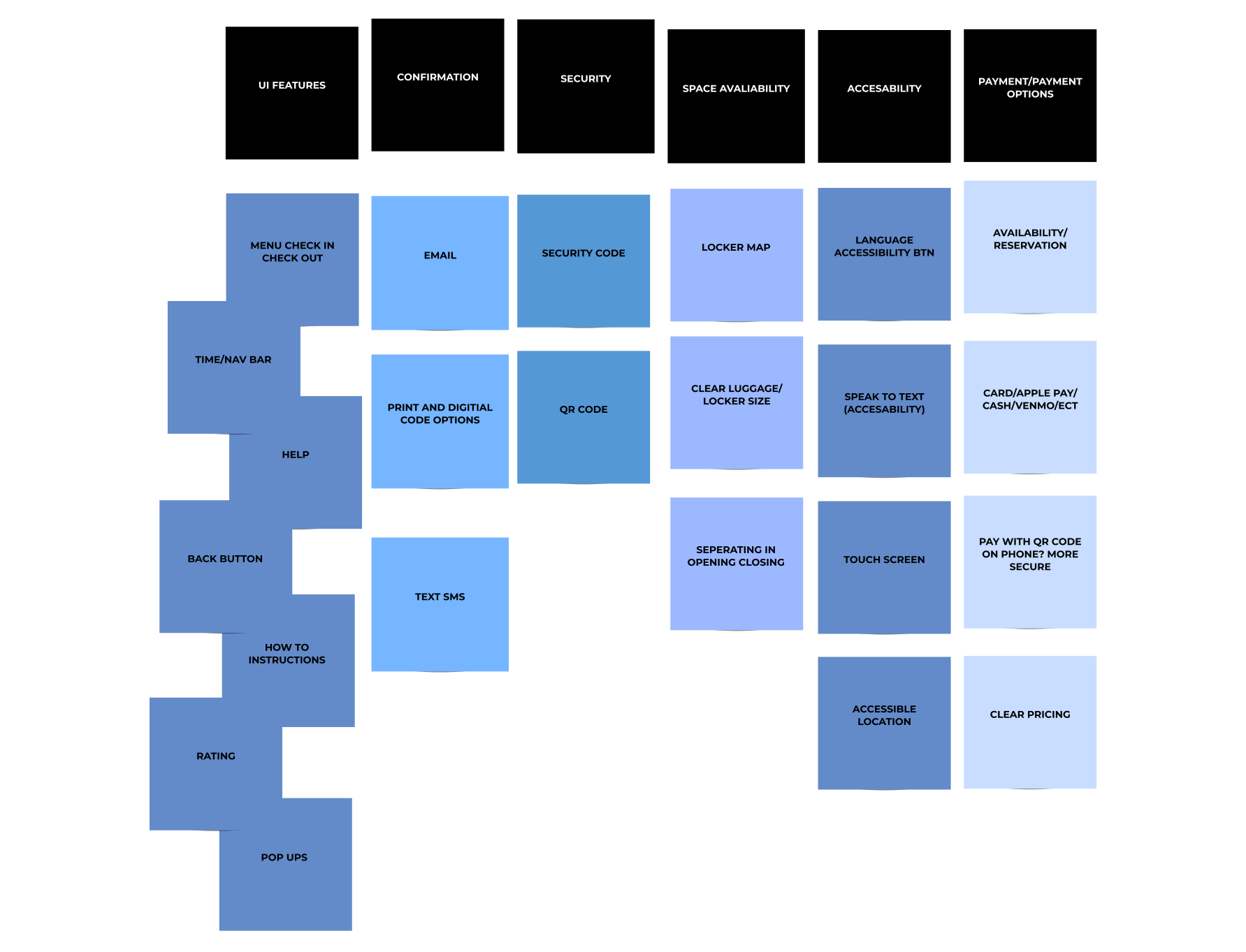
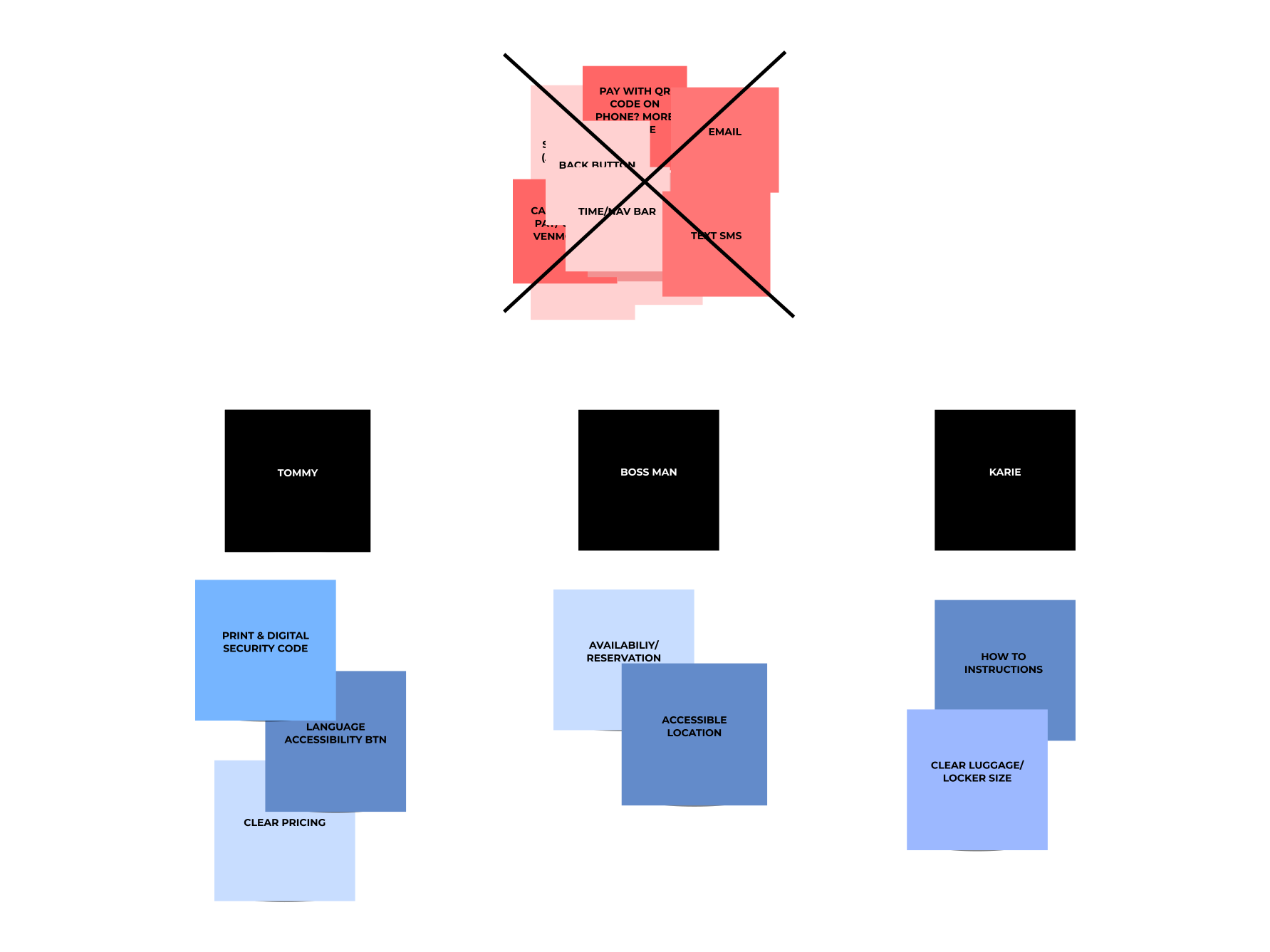
Narrowed Features
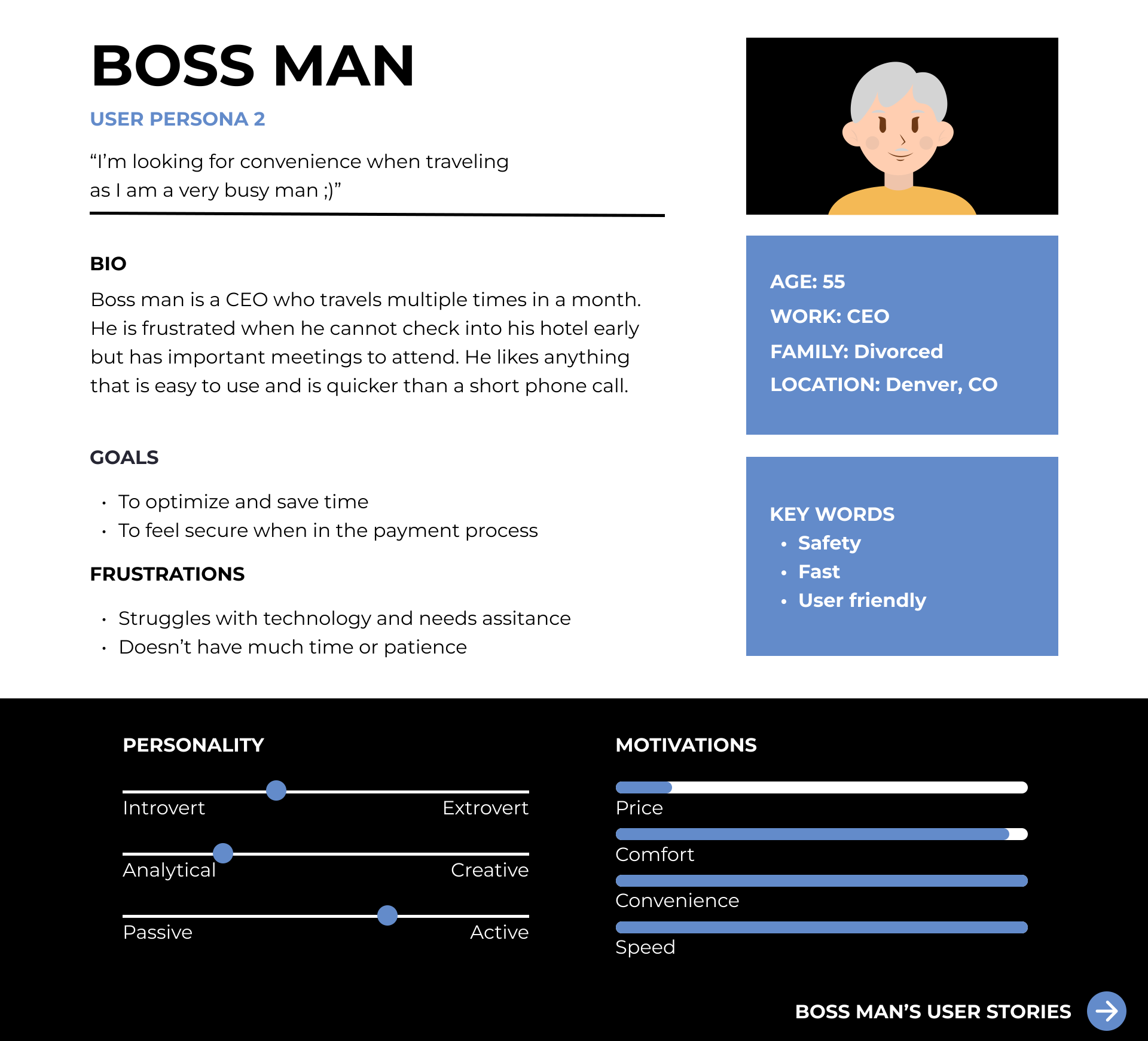
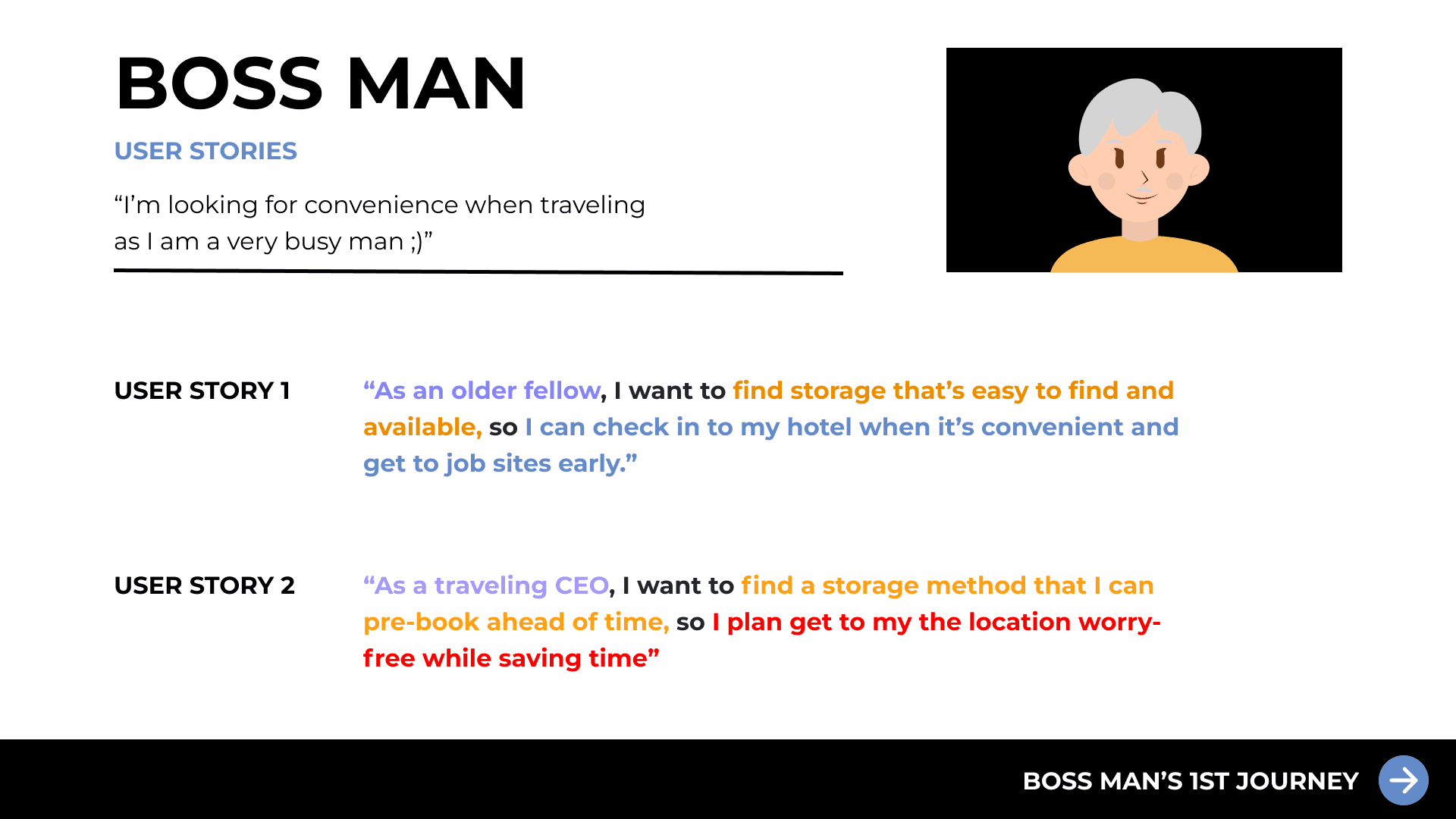
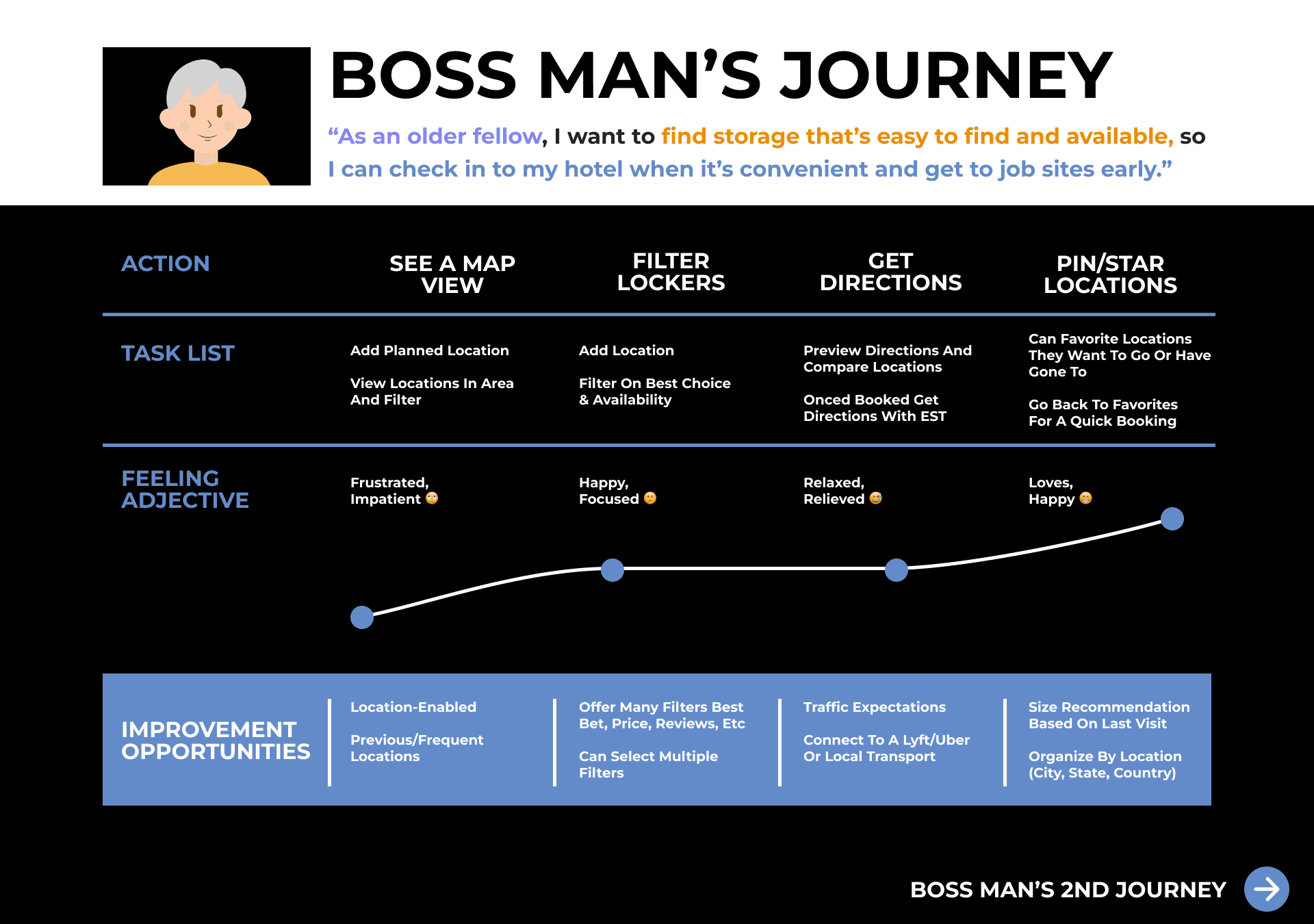
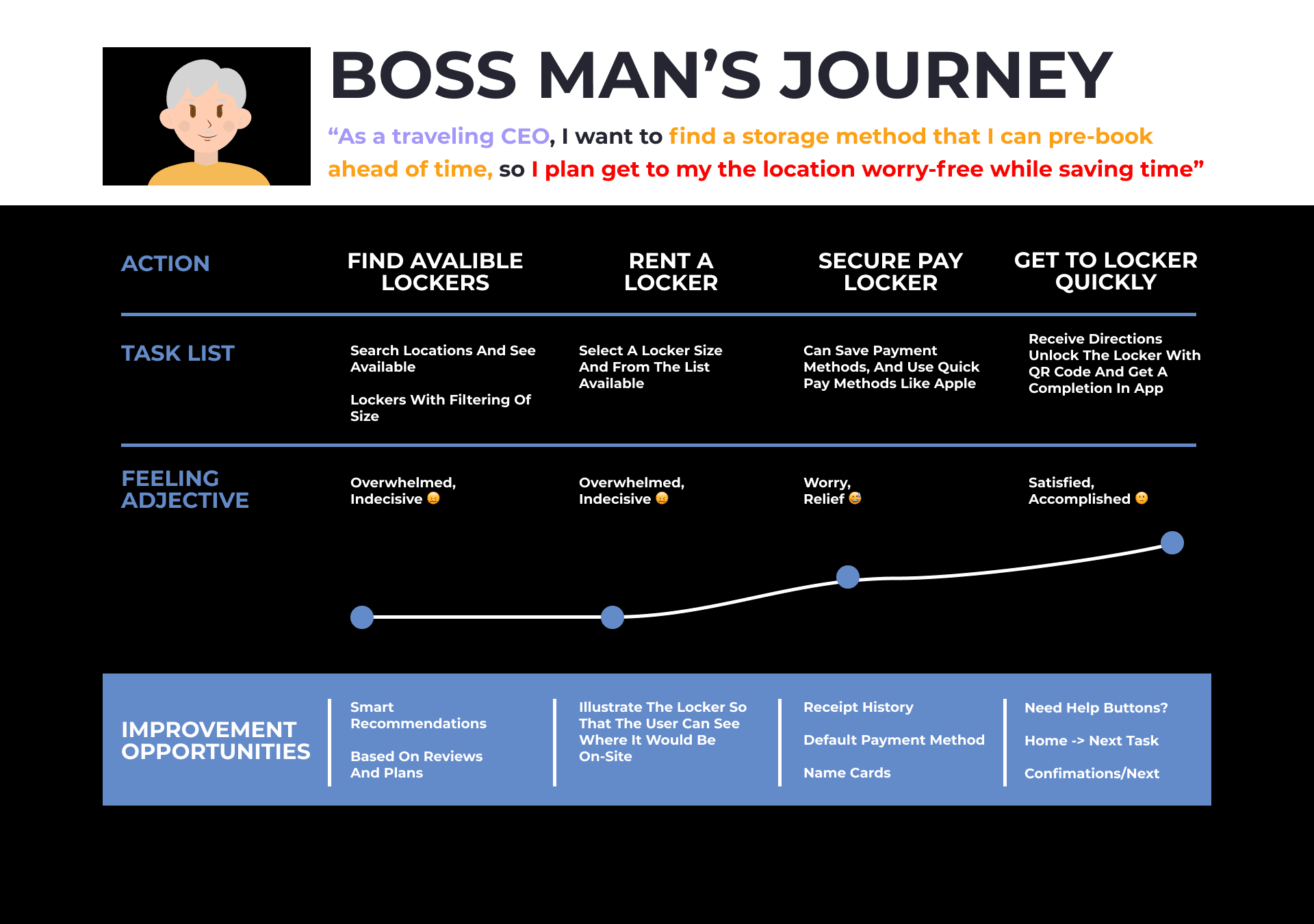
User Persona
Down below is one of the three user persona's created. Based off research completed previously to get a better idea for pain points users may face when utilizing our app.
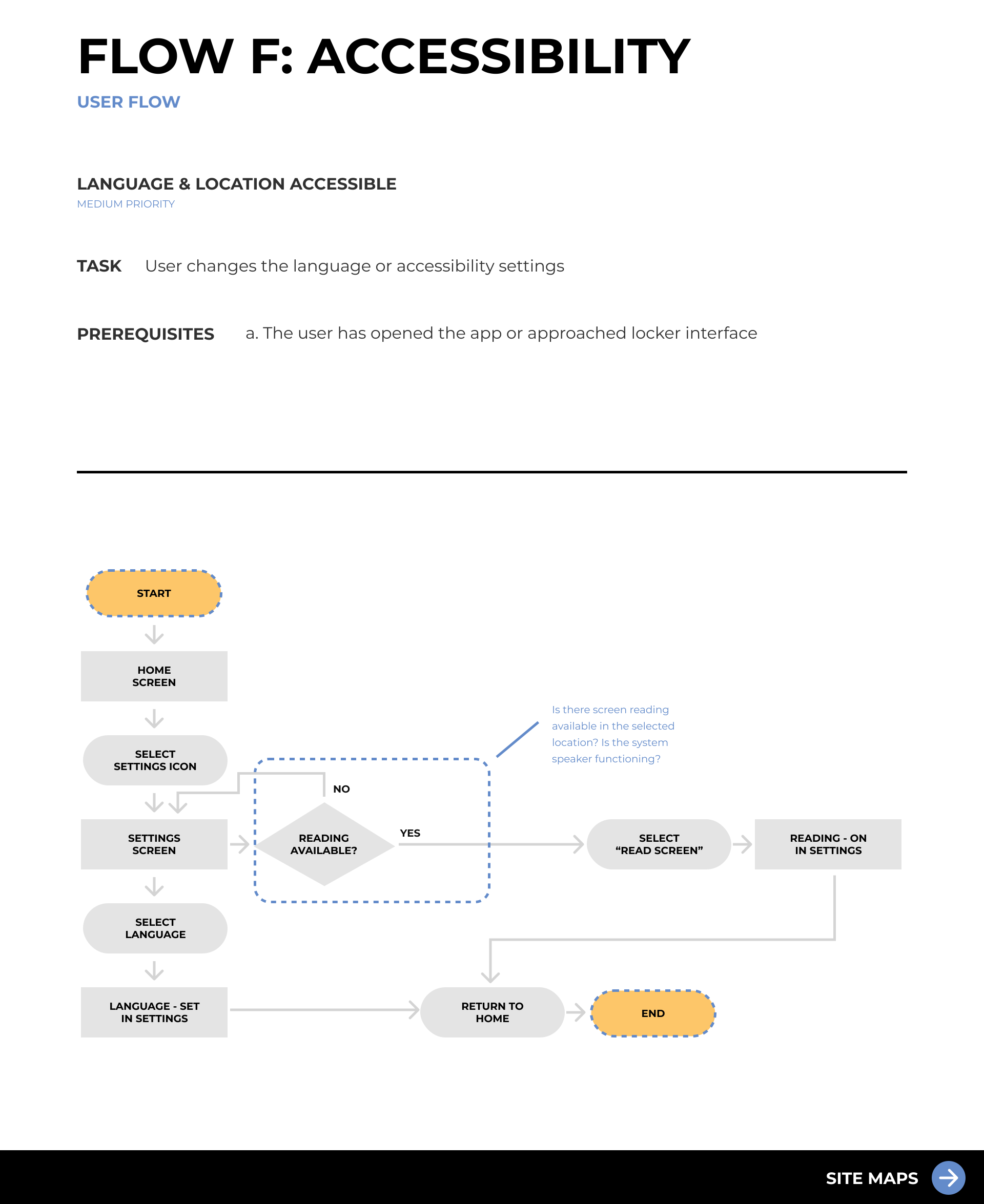
User Flows
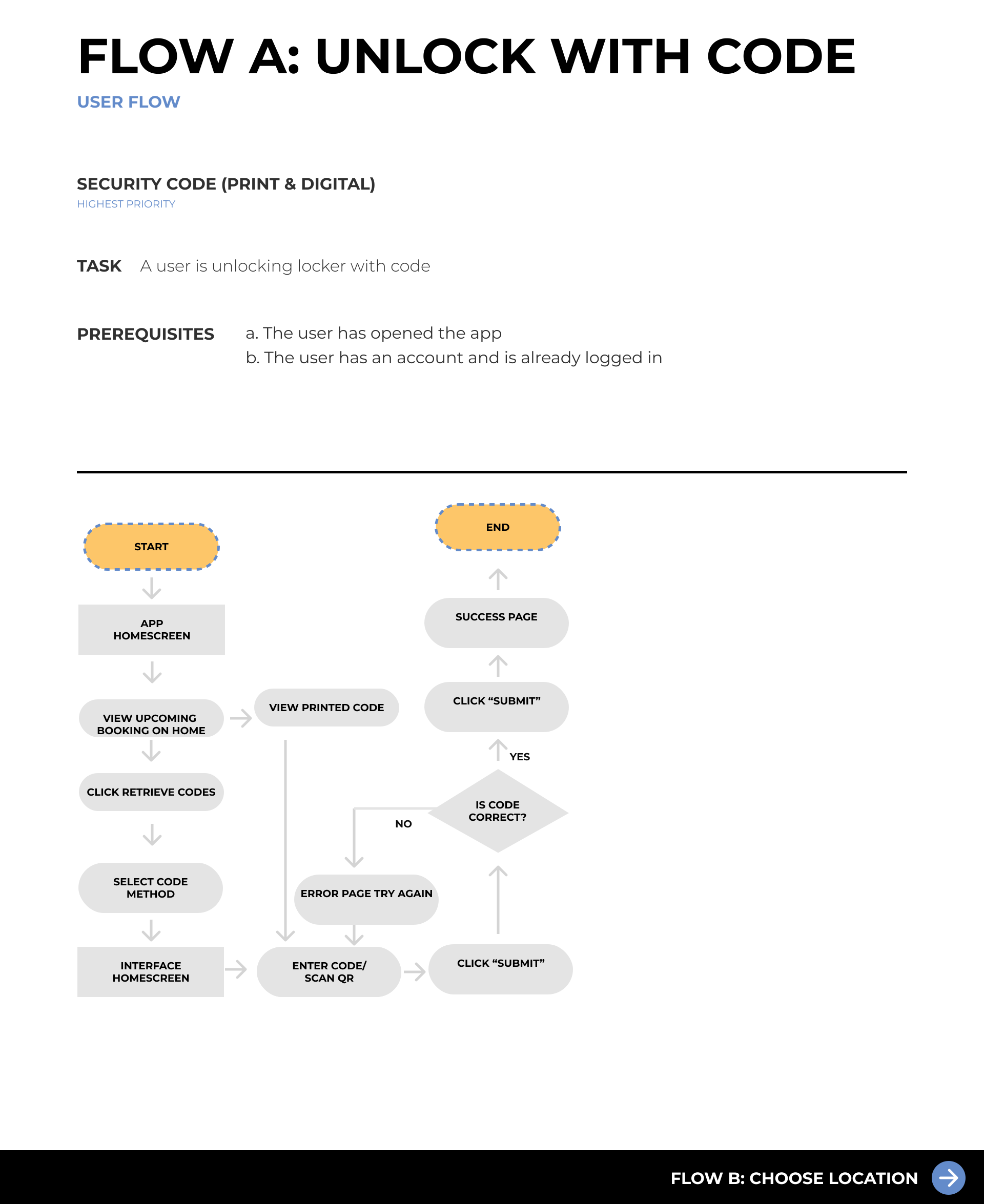
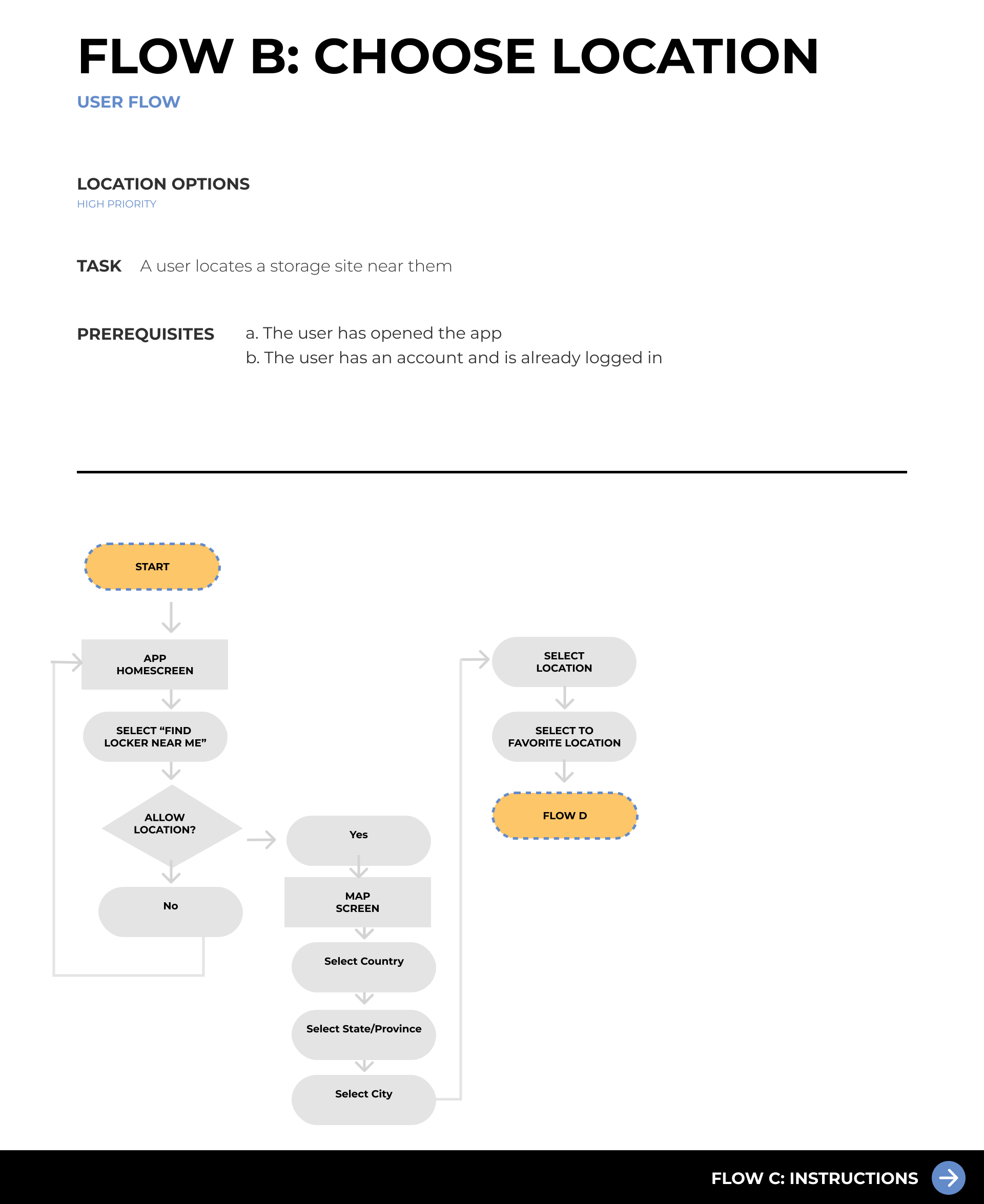
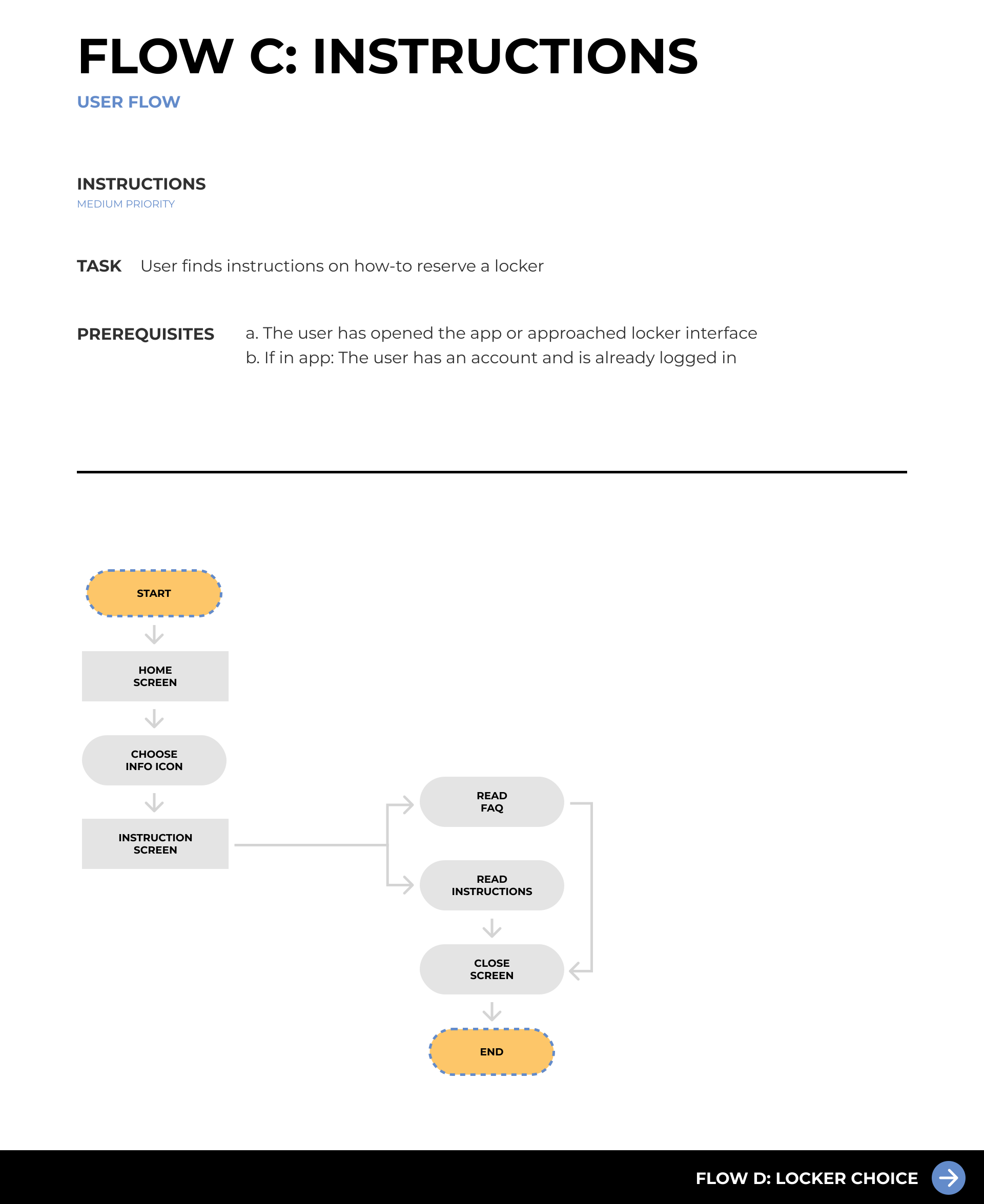
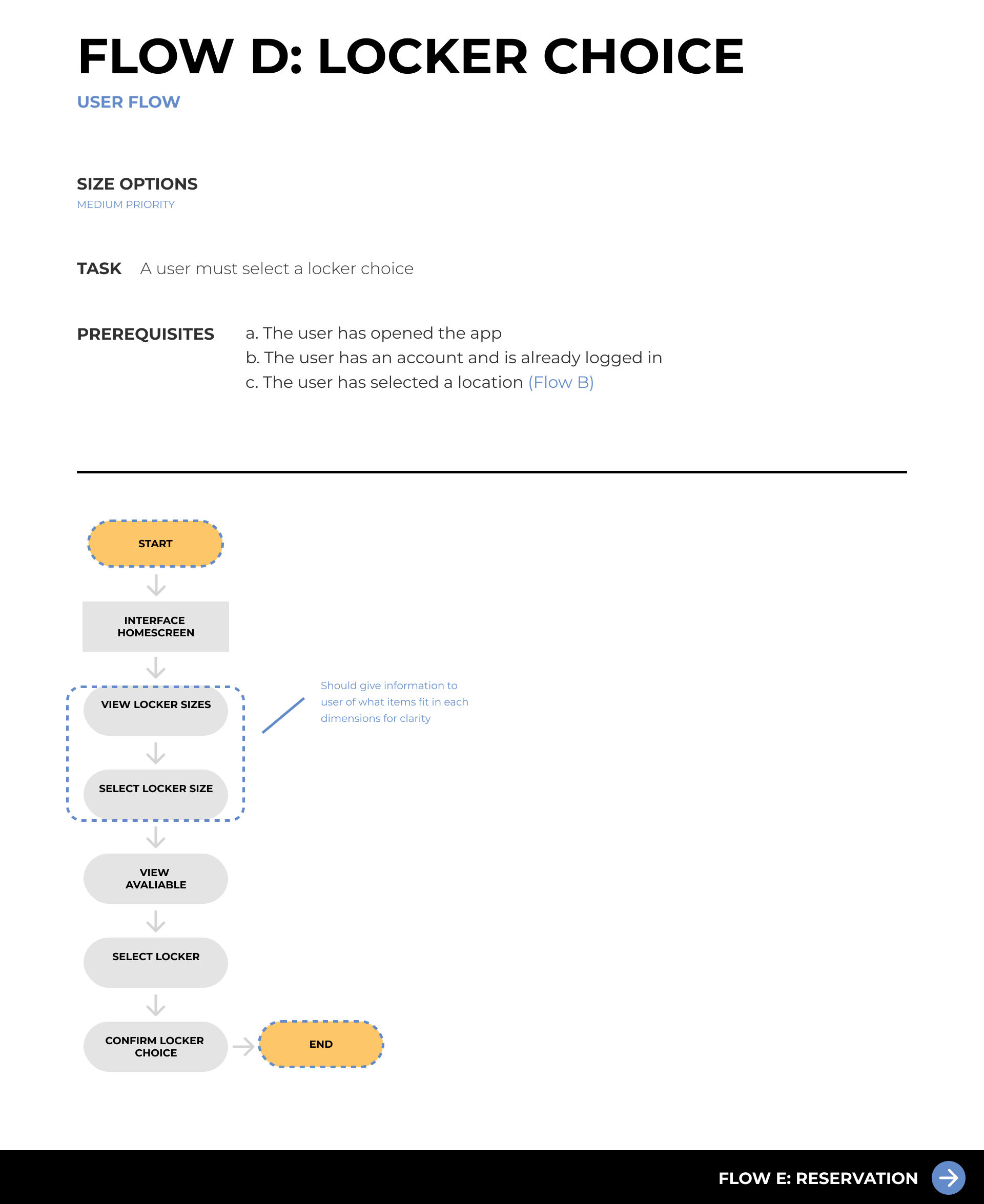
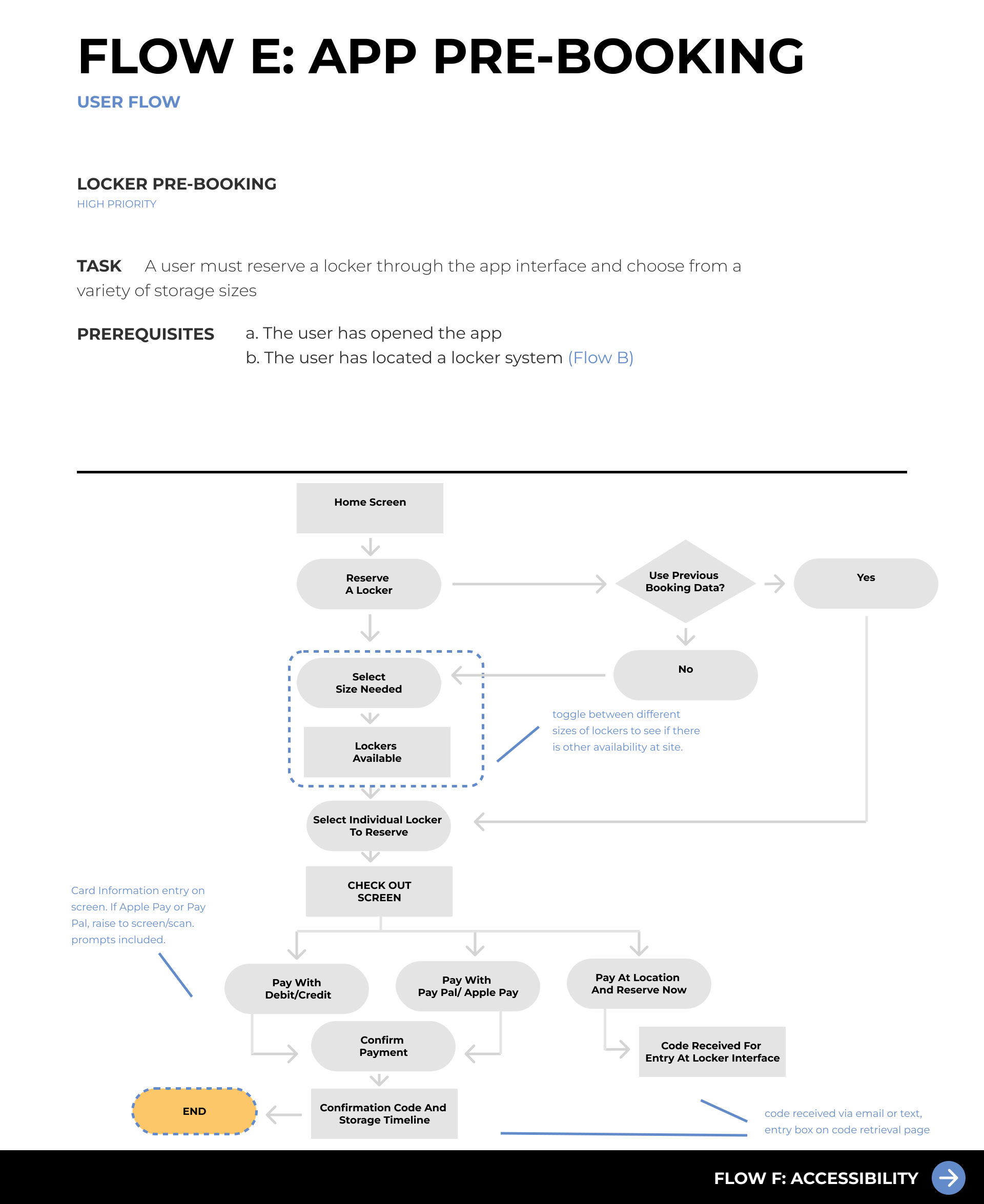
Click the right arrow below to explore the various user flows we created for each of the previously established features to understand how users would be interacting with the app design and to map out their action steps
Site Map
When creating the site map it consisted of four main pages in the nav bar
Home screen - A hub for all of the main features for convenience.
Map screen - A place for users to compare locations and pre-plan trips before booking.
Make a Booking screen - Once users are ready to book, they will follow the steps on the screen to complete that on this page then at the end will get sent back to the home screen.
Profile - The user's settings are located here, along with their booking history.
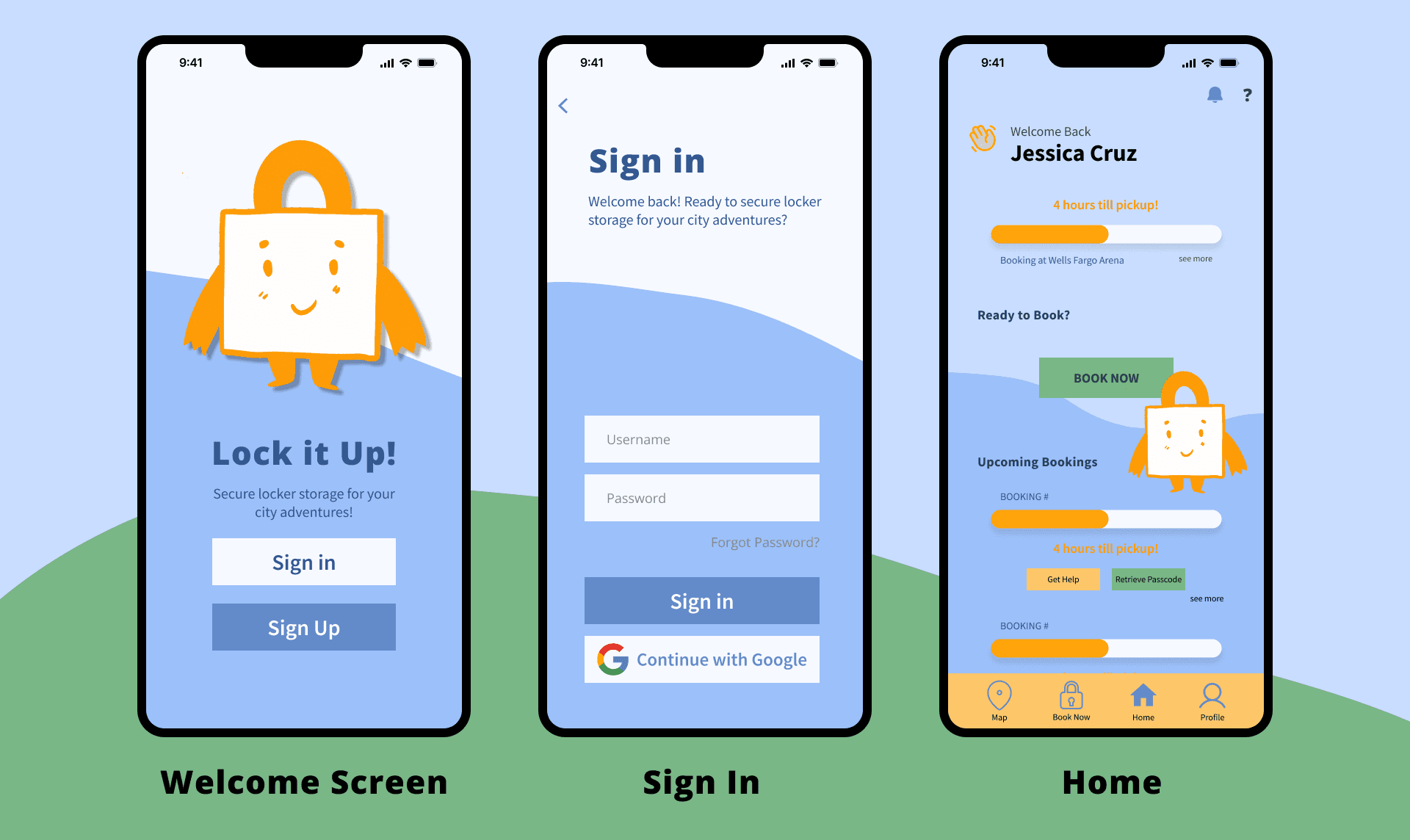
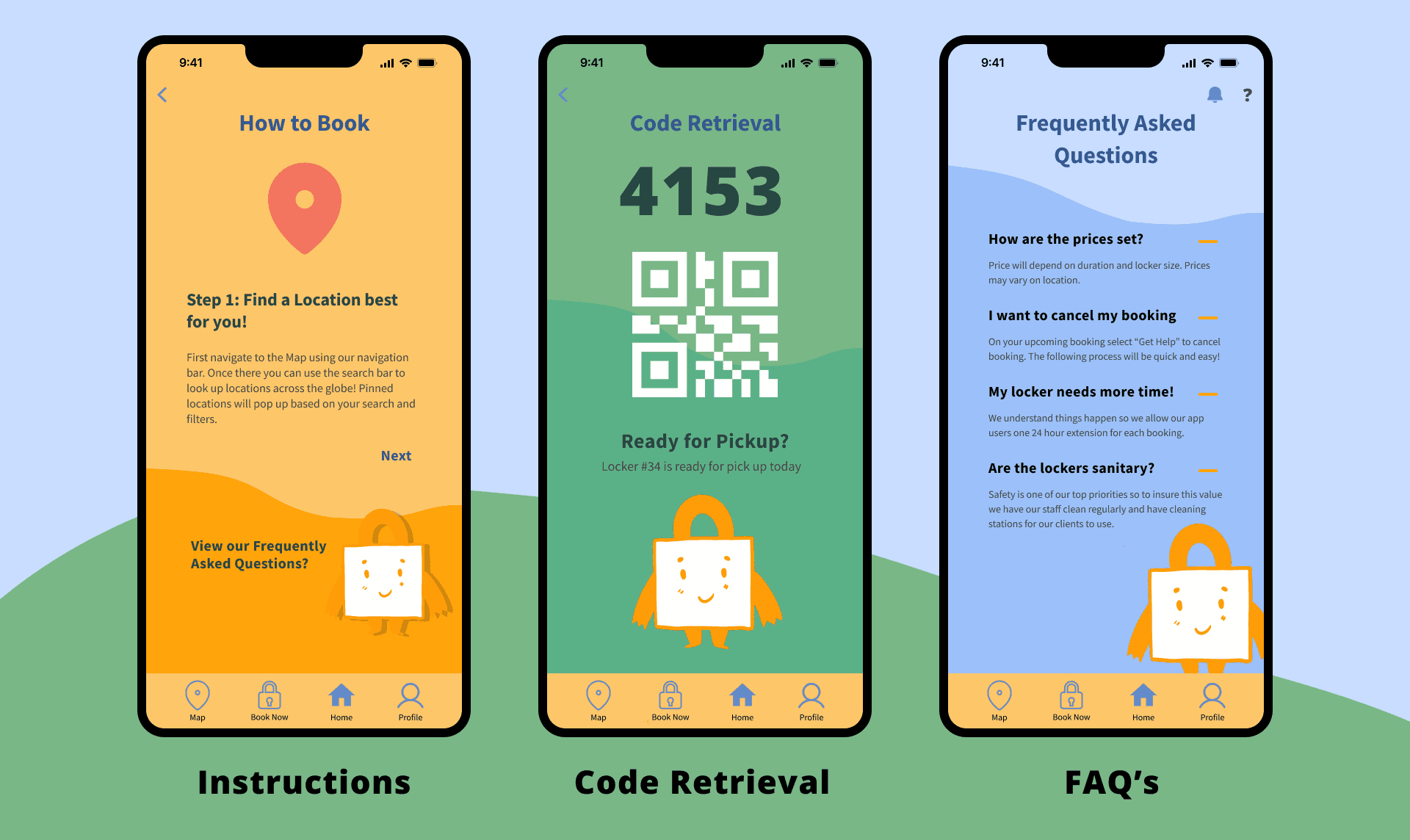
Screens
Final Learnings
Design Accessibility
Experimenting with GIFs to create dynamic and exciting screens.
Enhanced experience with user interviews when presenting unfamiliar ideas to participants